A flower shop: from a single stem to a bouquet and a sale
A step-by-step guide built on a real example — the Gulzar flower shop: roses by the pack, greenery by the stem, kraft paper and ribbon inside the bouquet, the florist's work as its own line. A bouquet is assembled, sold and reworked at the customer's request — and all of it shows up in stock and in profit. Every screen is real, captured in the working app.
Getting in
Once
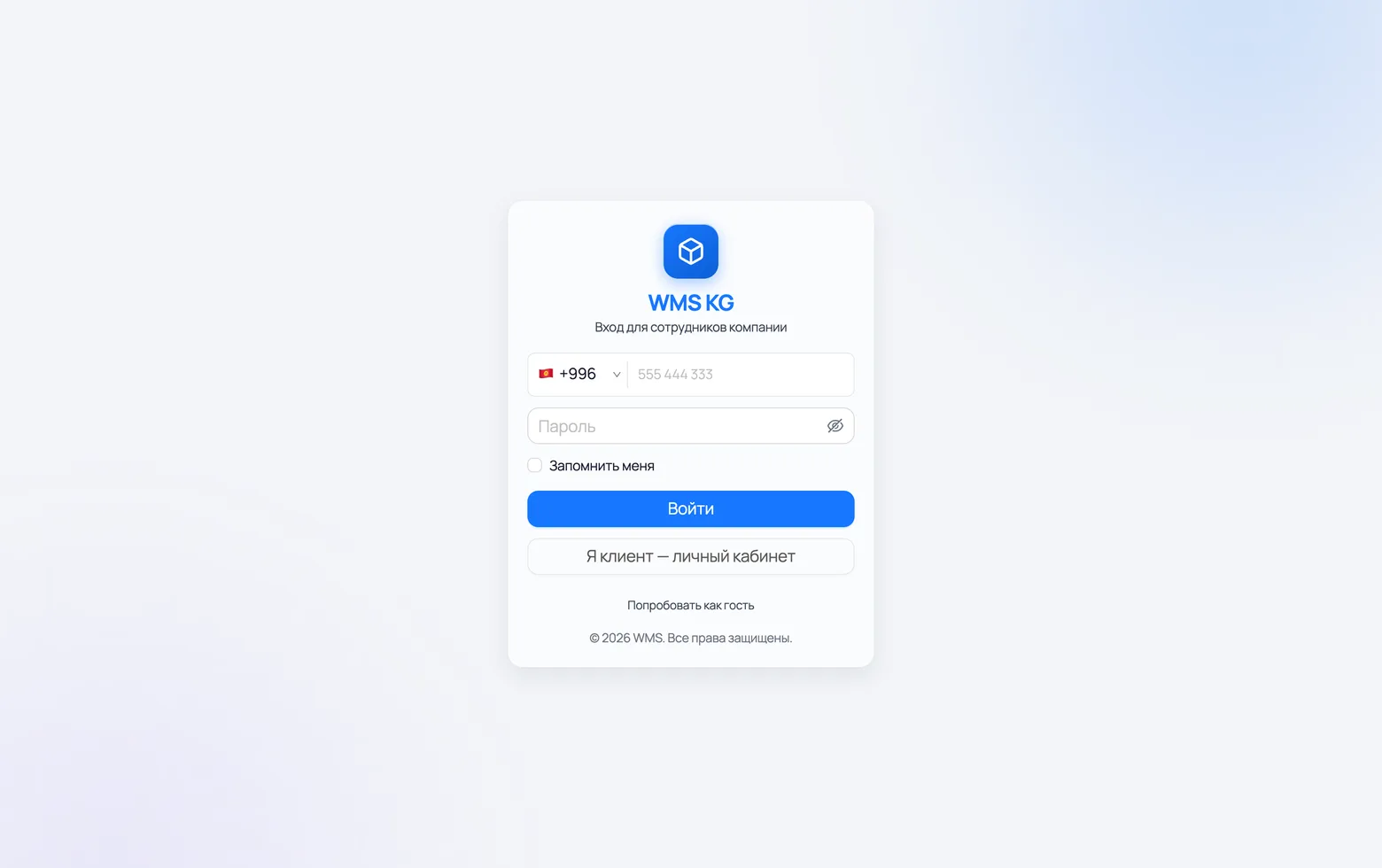
Signing in to the app
One account — one person. Give your florist their own login, so you can see who assembled a bouquet and who rang up the sale.
 1
2
3
1
2
3
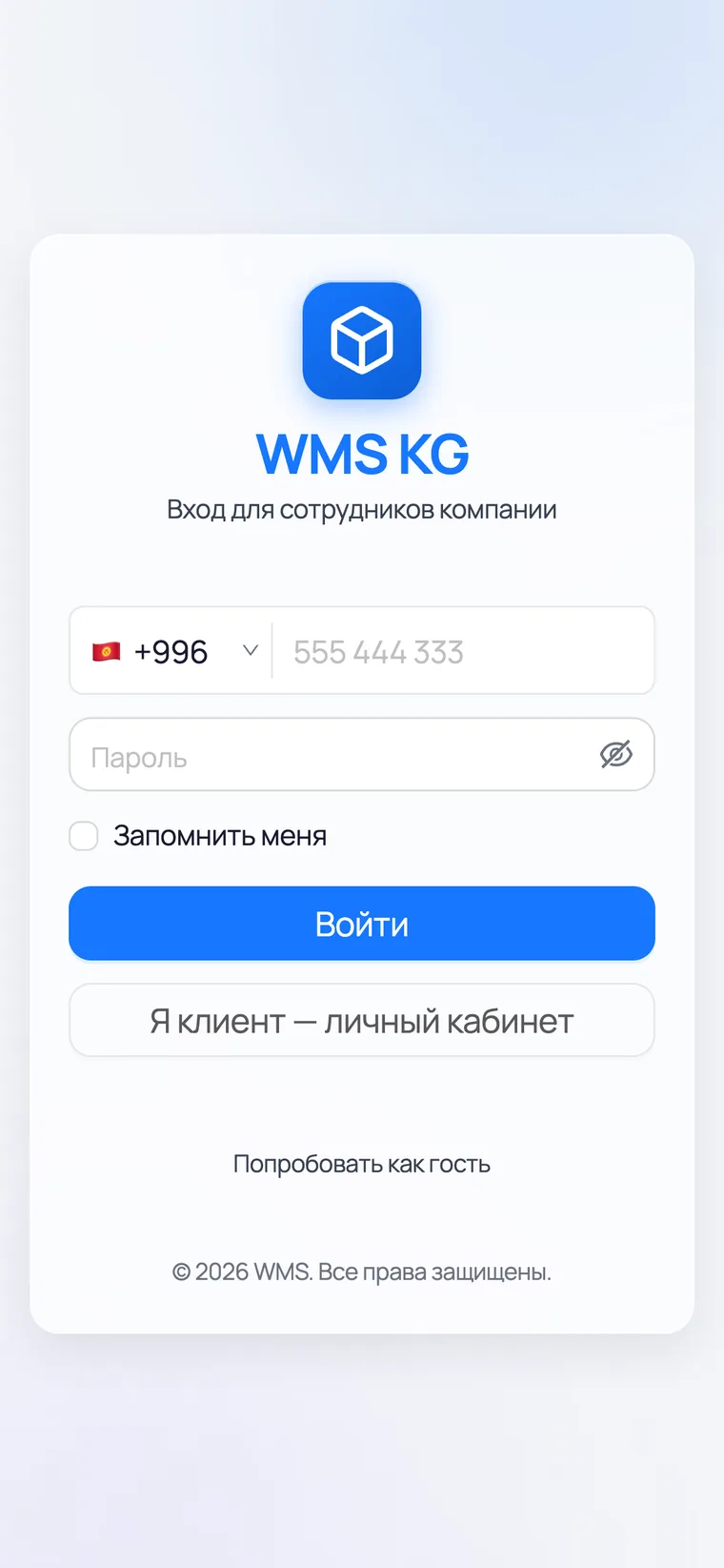
- 1Phone number — the one the shop is registered on. The +996 code is already filled in, so enter only 9 digits.
- 2Password. The 'Remember me' tick keeps the sign-in on this device.
- 3Press Sign in — the Home screen opens.
Setting up the shop
Five steps, in order
The cooler and the shop floor
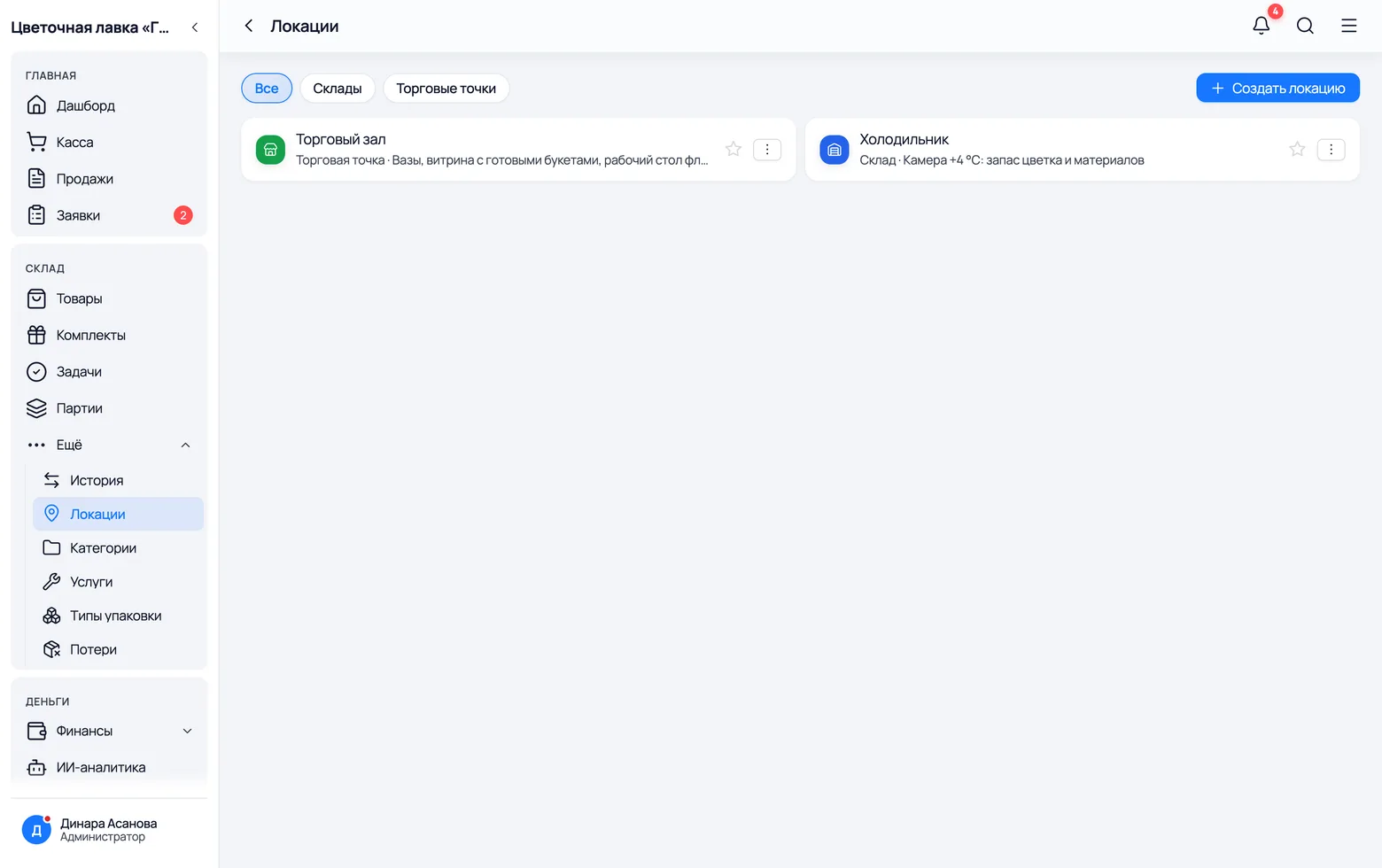
Flowers live in two places and live differently: in the cooler they wait, on the floor they sell. Create both locations — then you can see how many roses are in reserve and how many stand in buckets by the counter.
 1
2
3
1
2
3
- 1Cooler — type 'Warehouse'. Deliveries arrive here: packs of roses, boxes of tulips, rolls of film.
- 2Shop floor — type 'Sales point'. This is where the buckets of flowers stand, the materials lie and the florist works.
- 3Need a third one (a second outlet, a depot at the market) — Create location. Stock is counted for each of them separately.
Flowers arrive by the pack and sell by the stem
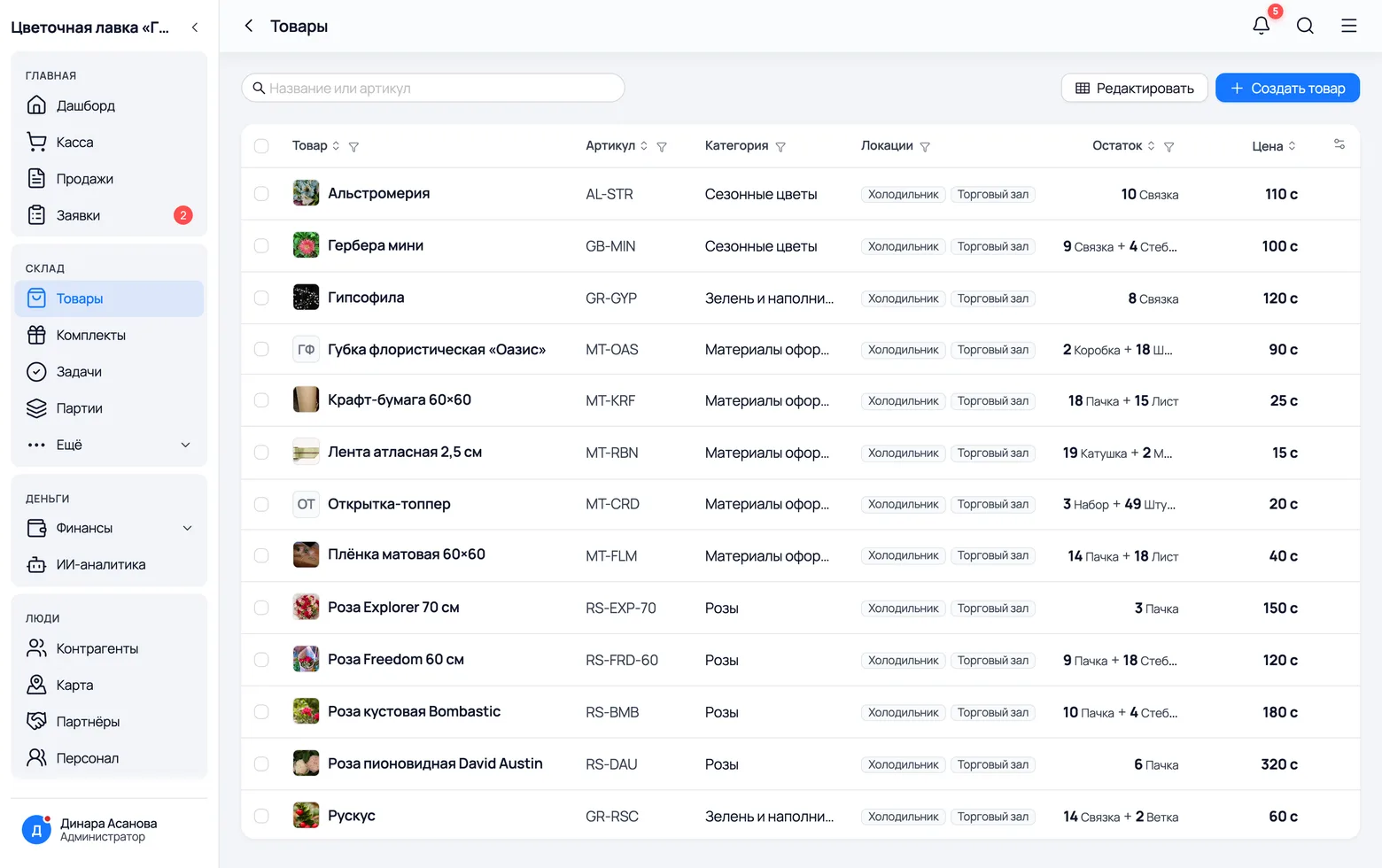
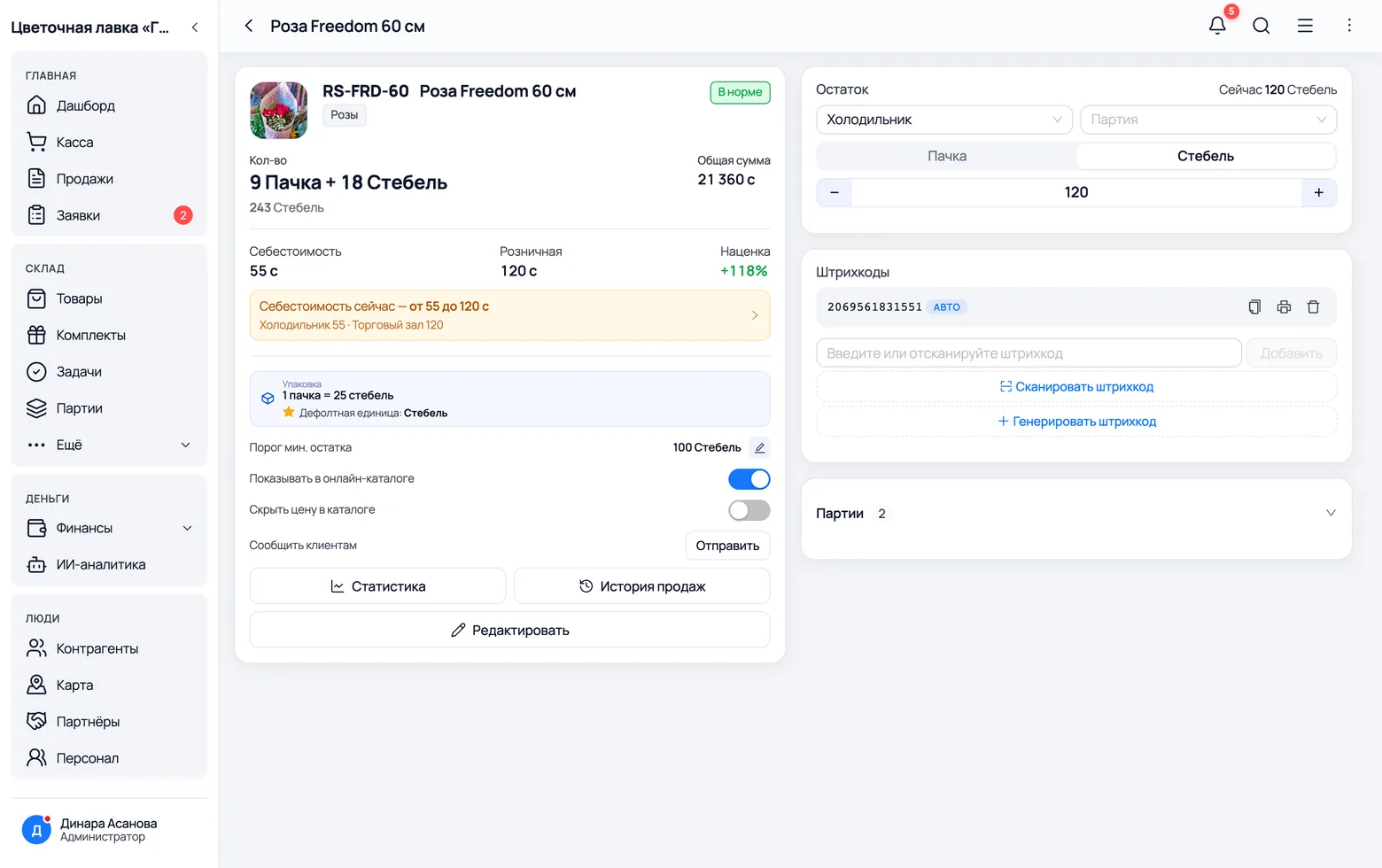
This is what sets a flower catalogue apart from any other. The supplier brings a pack of 25 roses, the customer takes three stems, and seven go into a bouquet. Set up both levels on the product card — the app does the arithmetic from there.
 1
2
3
4
1
2
3
4
 5
6
7
5
6
7
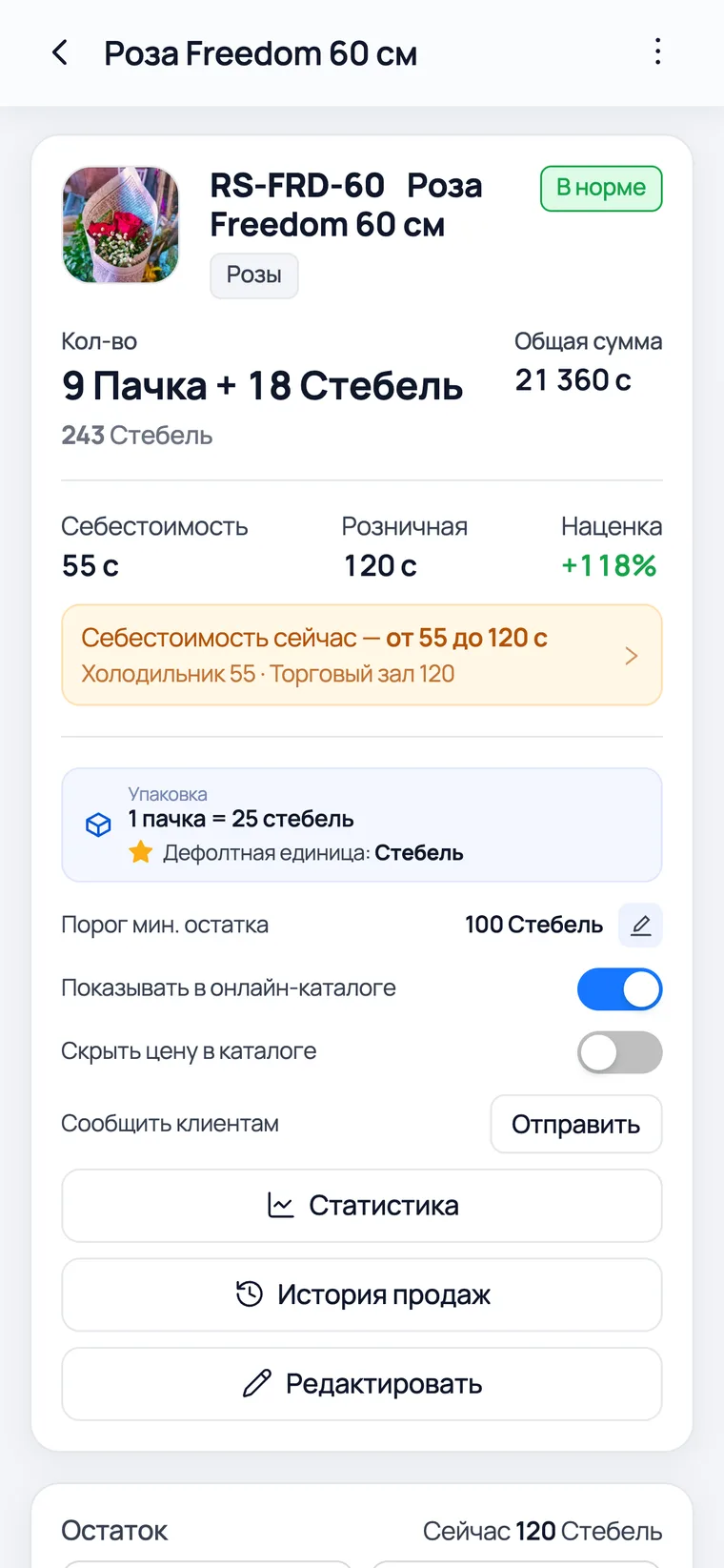
- 1Write the name the way a customer asks for it: variety and length — 'Freedom rose, 60 cm'. The search box in a sale looks at the same text.
- 2Stock is shown in both units at once: '9 packs + 18 stems'. That tells you both how much to order from the supplier and how much is left for bouquets.
- 3Locations — exactly where it sits: the cooler, the floor, or both.
- 4Create product — a new variety. Only the owner does this: purchase prices live here too.
- 5Pack — how it comes from the supplier (25 stems, a bunch of 10). You record arrivals in packs.
- 6Stem — the base unit. Stock is counted in it, bouquets consume it, and single-stem sales go out in it.
- 7Cost and price are per stem, not per pack. A pack at 1,375 som means a rose at 55.
Kraft paper, film and ribbon are goods
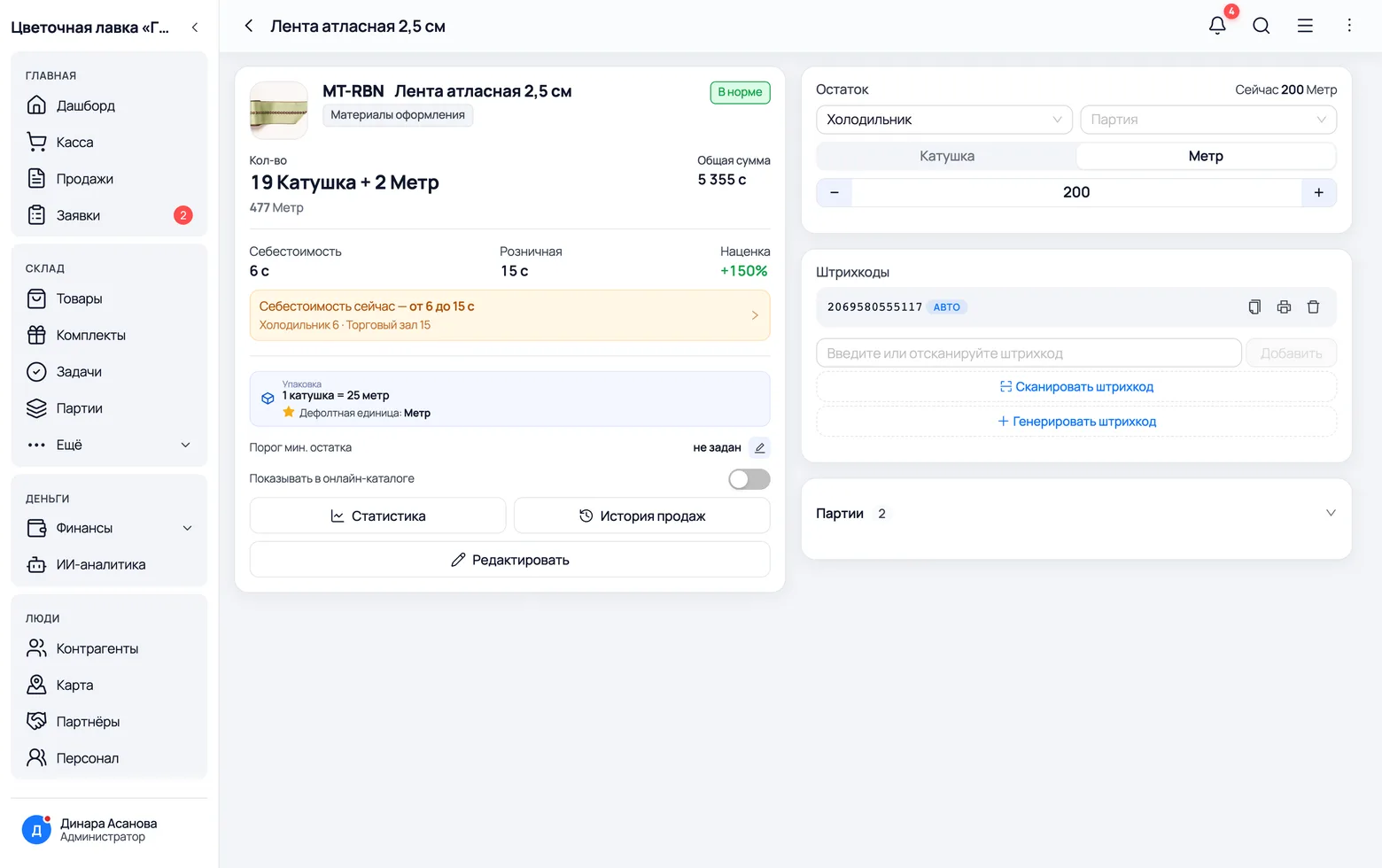
Wrapping runs out, you buy it, and it goes into every bouquet. So it is an ordinary product with its own stock and its own price, not 'overheads'. Set materials up the same way as flowers and they will start writing themselves off.
 1
2
3
1
2
3
- 1Reel — the supplier's level: 25 metres in one. You record arrivals in reels.
- 2Metre — the base unit. Inside a bouquet's recipe the ribbon is counted in metres: two metres for a rose bouquet.
- 3Cost per metre — this is what goes into the bouquet's cost. Six som a metre, twelve per bouquet.
The florist's work and delivery are services
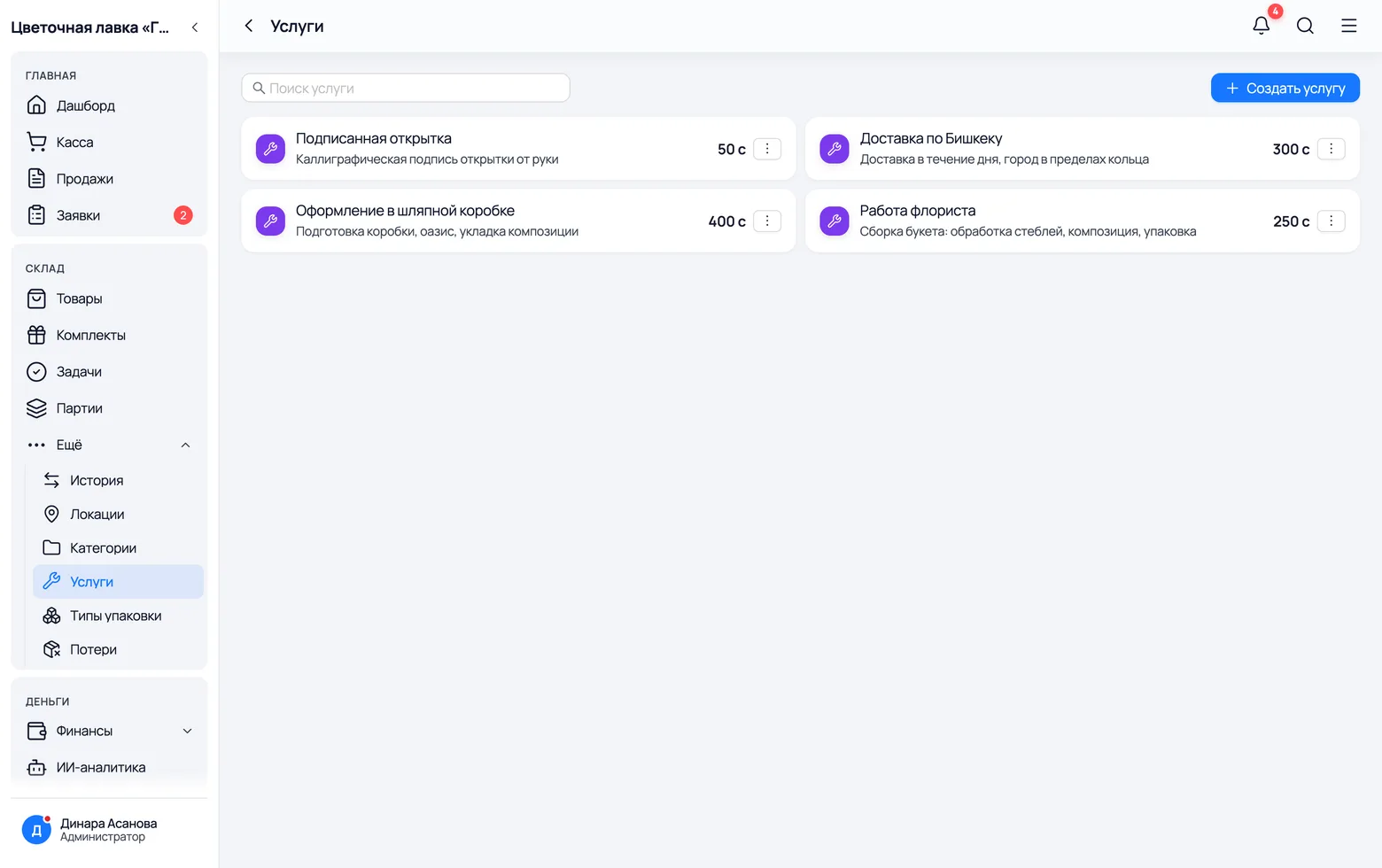
Labour does not sit in a warehouse and never runs out, but it costs money and it is part of the bouquet's price. That is what services are for: they have no stock, but they do have a price — and it honestly lands in the assembly cost.
 1
2
3
1
2
3
- 1Florist's work — conditioning the stems, the composition, the wrapping. It goes into almost every bouquet.
- 2City delivery — this goes not into the bouquet but into the receipt: not every bouquet gets delivered.
- 3Create service — arranging in a box, a hand-written card, a rush assembly. The price is the same shop-wide and is edited in one place.
Receiving a delivery
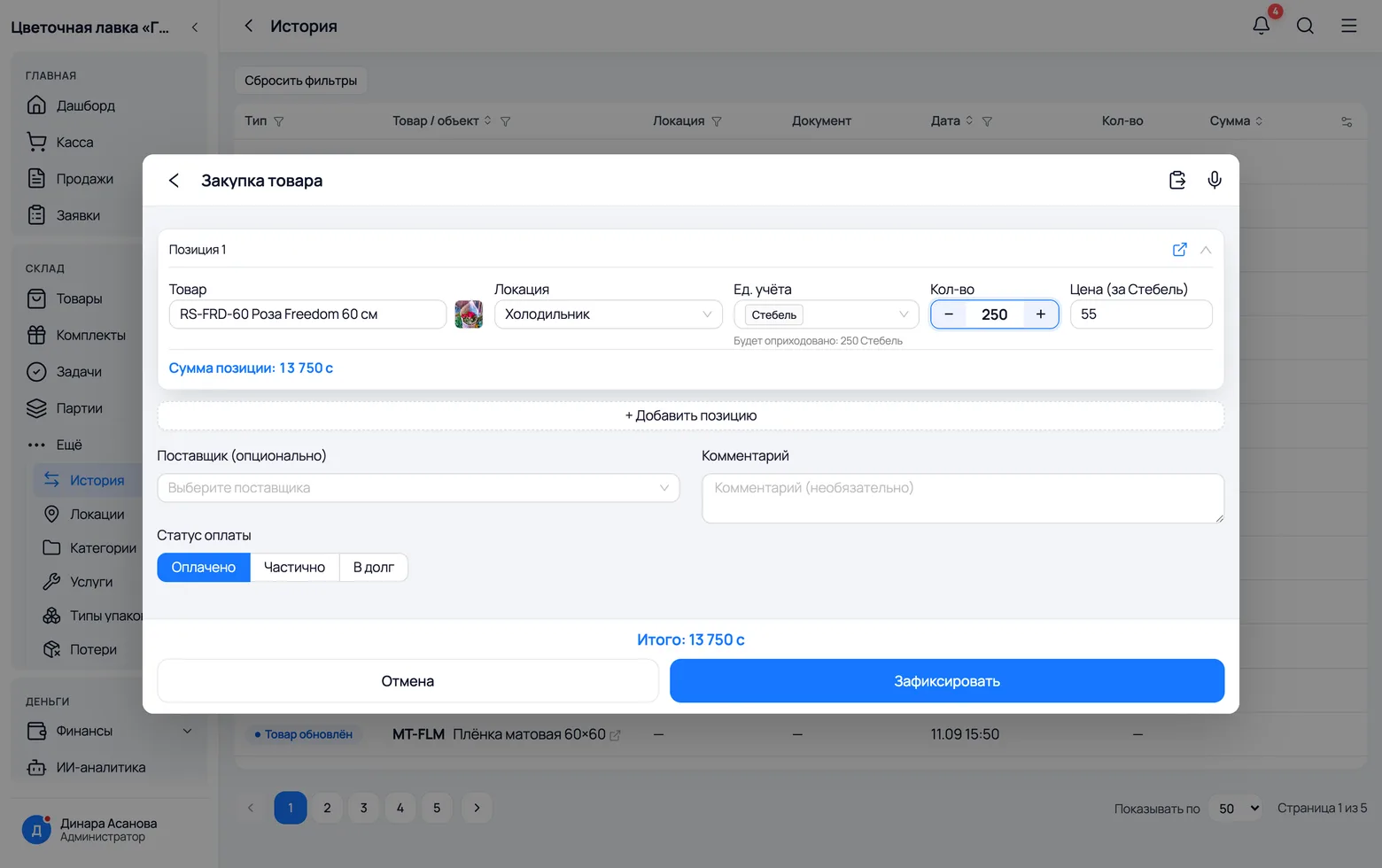
The van has arrived — the flowers must be booked in before they are shared out into buckets. An arrival puts stock on a location, creates a batch with its own purchase price and, if you took it on credit, raises the debt to the supplier.
 1
2
3
4
5
6
1
2
3
4
5
6
- 1Product — start typing the variety and the list will suggest it. A delivery note can hold any number of lines.
- 2Unit — pick 'Pack' if you count in packs. Right under the field the app shows how many stems that is.
- 3Price — the purchase price, per stem. If the supplier quoted per pack, divide it: otherwise a single rose will cost 1,375 som.
- 4Location — the cooler. From there the flowers are moved to the floor with a transfer.
- 5Supplier — who brought it. Their debt and delivery history are read off this later.
- 6Payment status — 'Paid', 'Partial' or 'On credit'. The debt goes up on the supplier's card by itself.
Bouquets
What sets a flower shop apart from any other trade
Assembling a bouquet
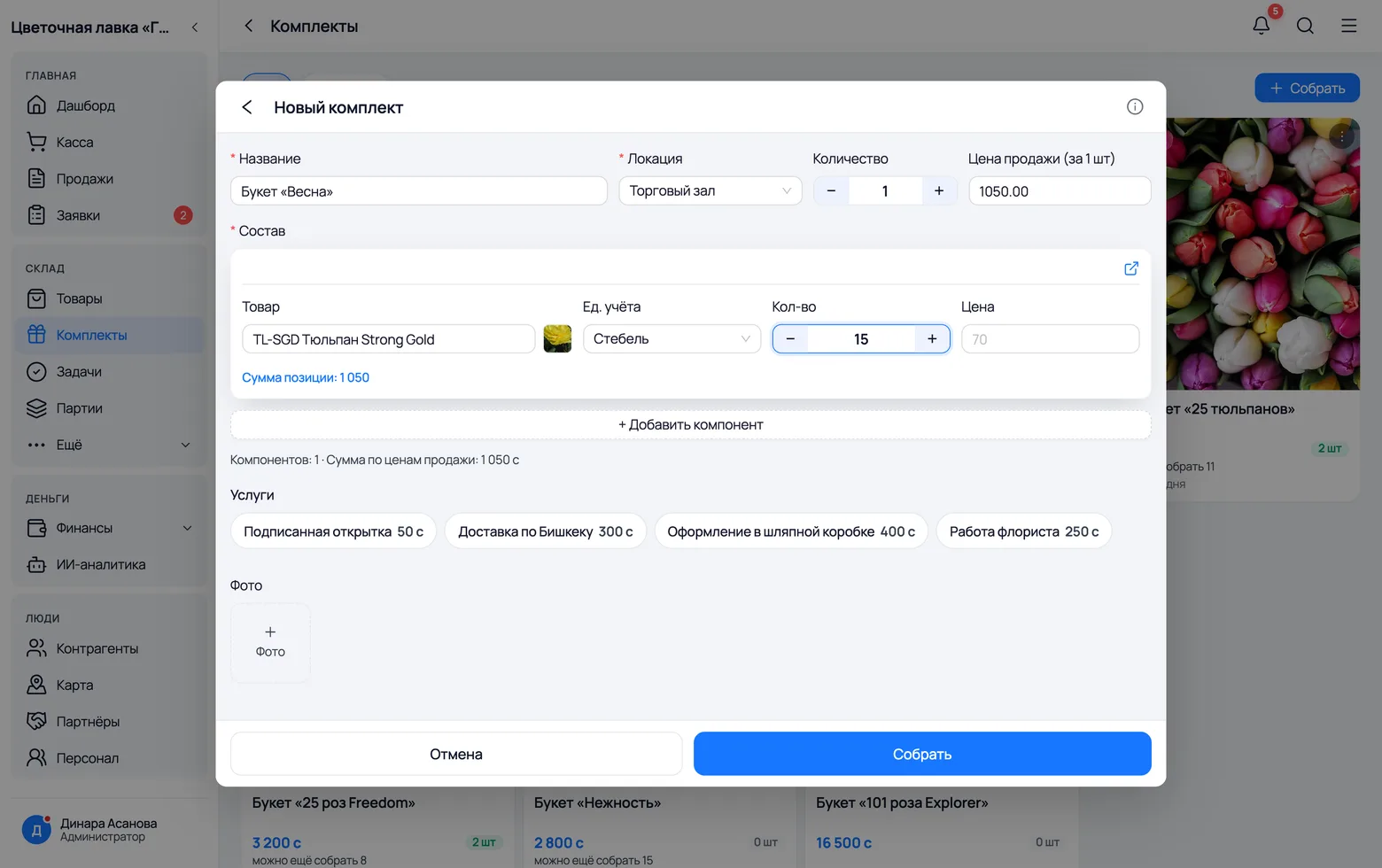
A bouquet is not something you bought — it is something you made: out of stems, paper, ribbon and your own work. In the app such a thing is called a kit. It has its own stock, its own price and its own recipe.
 1
2
3
4
5
6
1
2
3
4
5
6
- 1Name — whatever goes on the price tag: 'Spring bouquet', '25 Freedom roses', 'Plombir hat box'.
- 2Location — where you are assembling. The flowers and materials come off there, and the finished bouquet lands there.
- 3Quantity — how many to assemble right now. Put 0 if you are only writing down the recipe for now: then nothing comes off the shelf.
- 4Recipe — flowers, greenery and materials in one list. Fifteen tulips, two sheets of kraft, a metre of ribbon: every line has its own unit.
- 5Add component — the next line. You cannot put a kit inside a kit: a bouquet is built from plain products.
- 6Services — as tags under the recipe. Tapping 'Florist's work' adds 250 som both to the price and to the bouquet's cost.
In stock, can be assembled, cannot be assembled
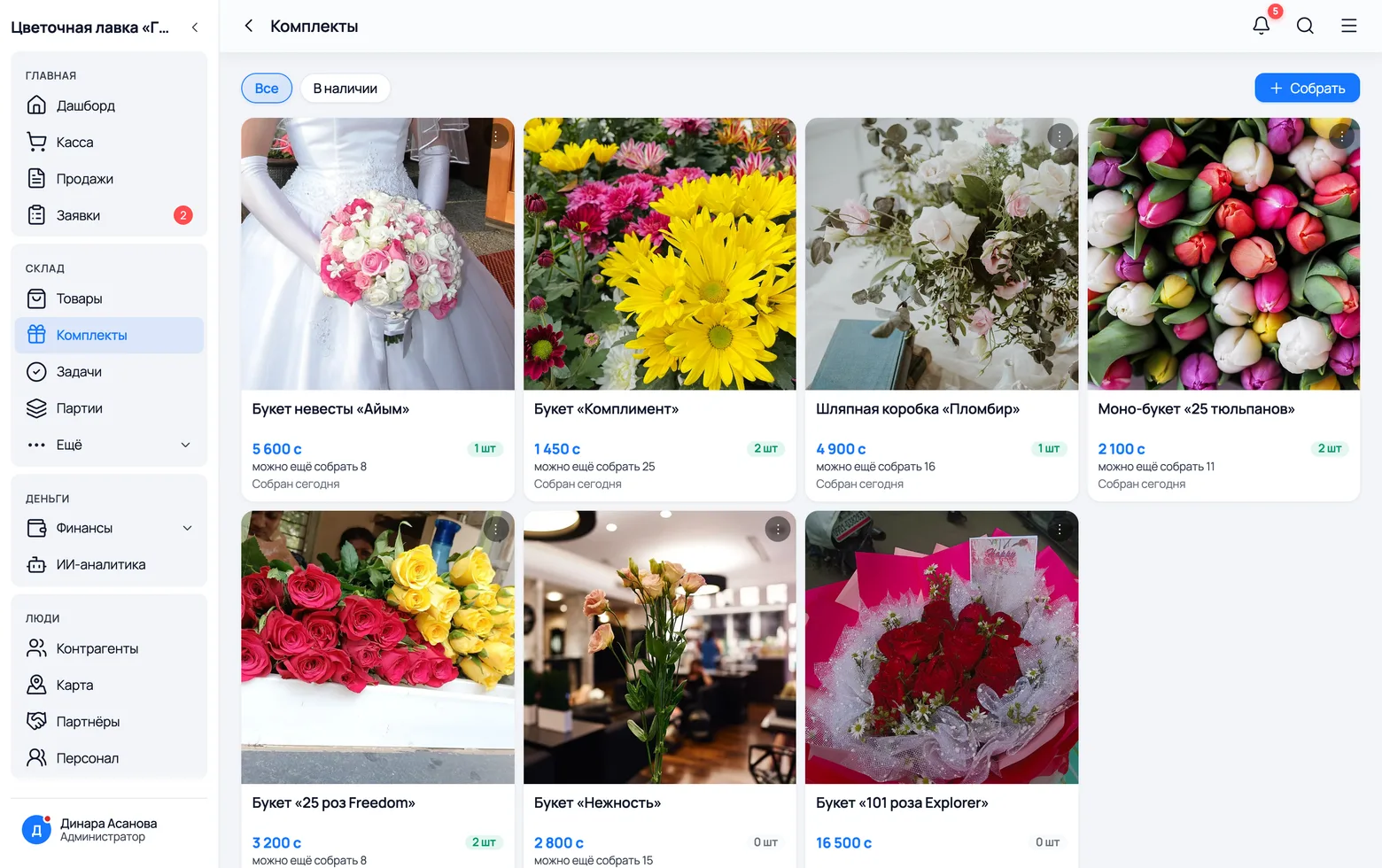
The 'Kits' screen answers one question for the salesperson: what can I hand the customer right now? There are three answers, and they must be told apart at a glance — the card says it in two lines.
 1
2
3
4
5
1
2
3
4
5
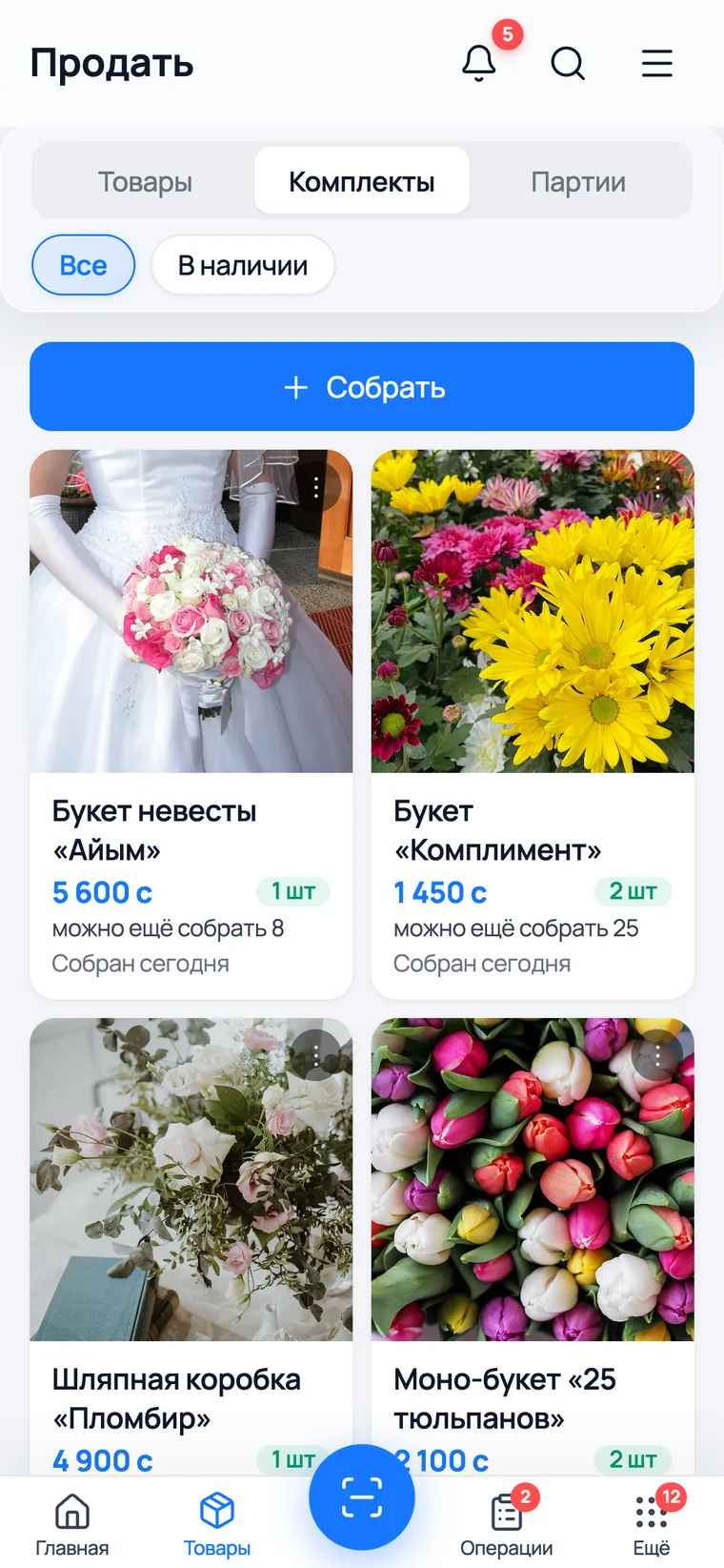
- 1In stock: '2 pcs'. The bouquet stands assembled in a vase — take it and sell it. Below it says how many more you could build from stock.
- 2Can be assembled: '0 pcs' but below it — 'you can still build N'. None are made up, but there are enough flowers. You can still sell it: the app will build the bouquet inside the receipt.
- 3Cannot be assembled: '0 pcs' and no line below. There are not enough flowers. That is an honest 'we can't today' for the customer, instead of 'let me go and check'.
- 4The In stock filter leaves only what is standing ready. In the morning you check the shelf against it.
- 5Assemble — a new bouquet, or one more of one you already have.
Assembly: the app counts the flowers for you
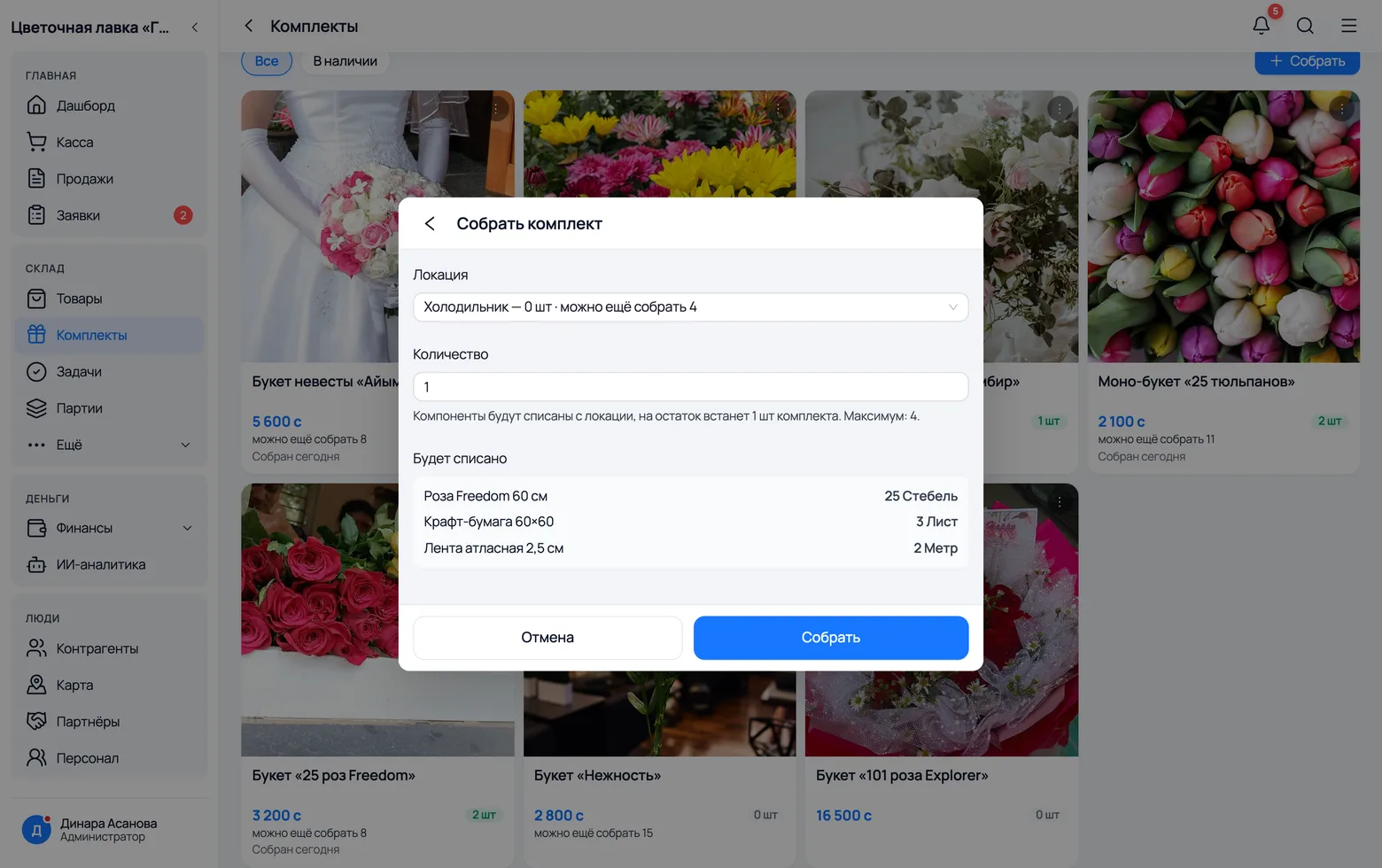
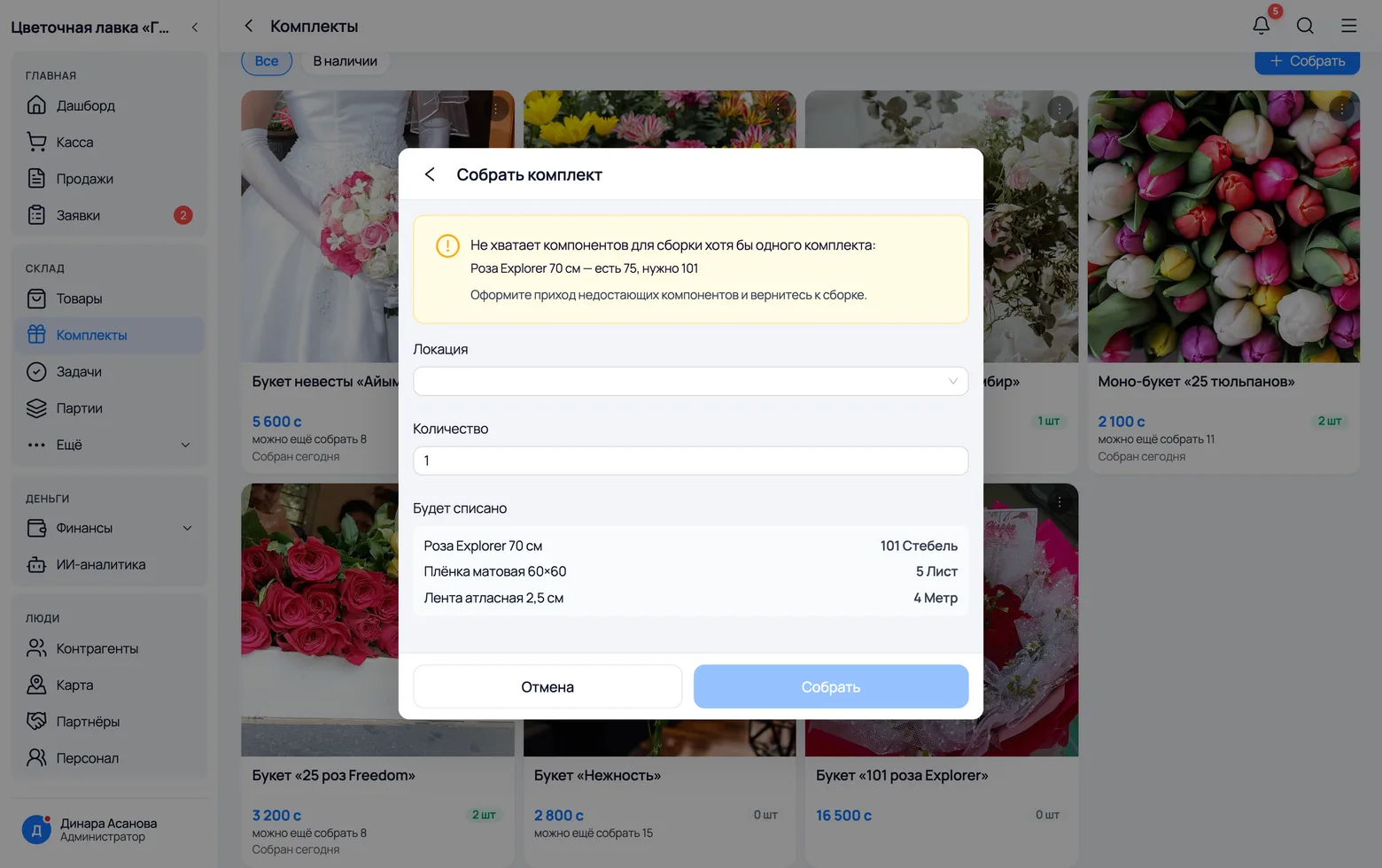
You press 'Assemble' — and before anything is written off, the app checks whether there is enough. If there is, it shows what will come off the shelf. If there is not, it names the flower and the numbers: how many you have and how many you need.
 1
2
3
1
2
3
 4
4
- 1Location — next to each one it says how many bouquets already stand there and how many more you can build.
- 2Quantity — how many to build. The app will not take more than the maximum.
- 3Will be used — the exact list: 25 rose stems, 3 sheets of kraft, 2 metres of ribbon. That is what disappears from the location when you press the button.
- 4If there is not enough, a warning with numbers stands where the quantity would be: 'Explorer rose 70 cm — you have 75, you need 101'. The assembly never starts, so there is no half-taken-apart bouquet.
What the bouquet actually cost you
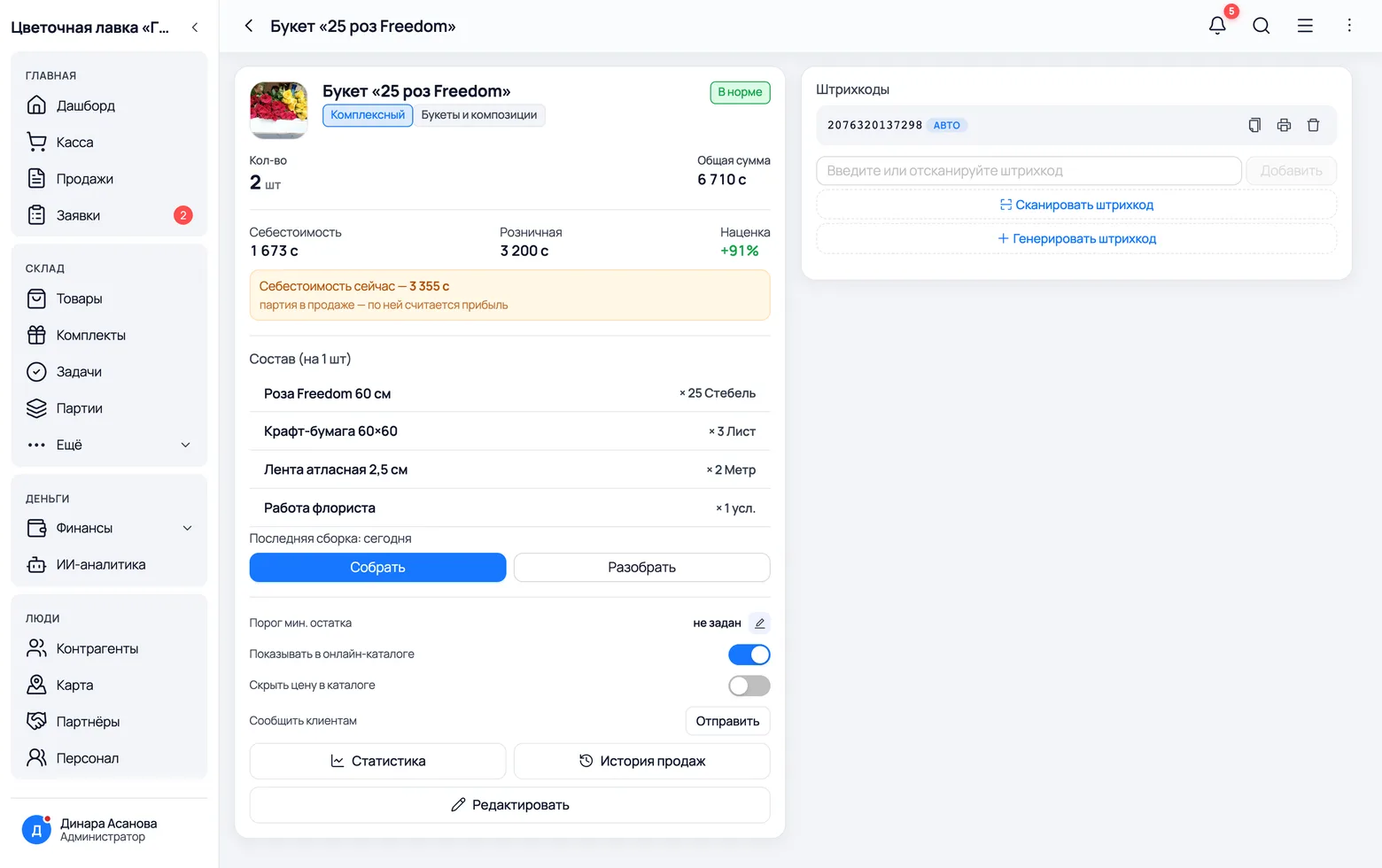
A bouquet has no purchase price of its own and cannot have one — nobody bought it. So the app works out the cost: flowers plus materials plus services. When roses go up, the number recalculates itself.
 1
2
3
4
5
1
2
3
4
5
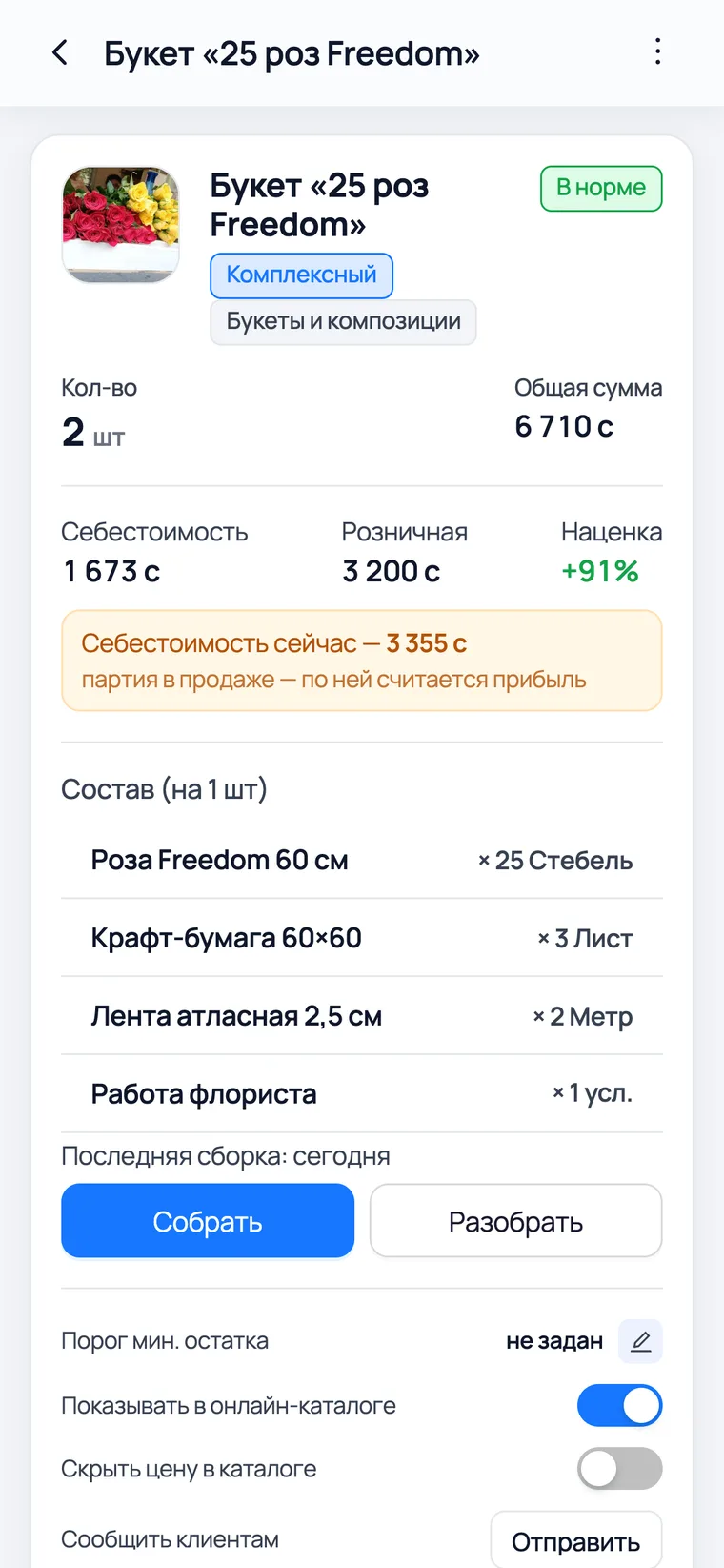
- 1Cost — the sum of the recipe: 25 roses at 55, 3 sheets of kraft, 2 metres of ribbon and 250 som of florist's work. You cannot type it in by hand, and that is right.
- 2Retail — your price tag. You set it yourself; it does not follow the recipe.
- 3Margin — the difference between them, as a percentage. Exactly the answer to 'how much do I make on this'.
- 4Recipe (per piece) — the recipe for one, services included. This is what the cost is built from.
- 5Assemble / Disassemble — the same operations as on the kits screen, without leaving the card.
Selling
Four different ways a bouquet leaves the shop
Selling: a ready bouquet and one that does not exist yet
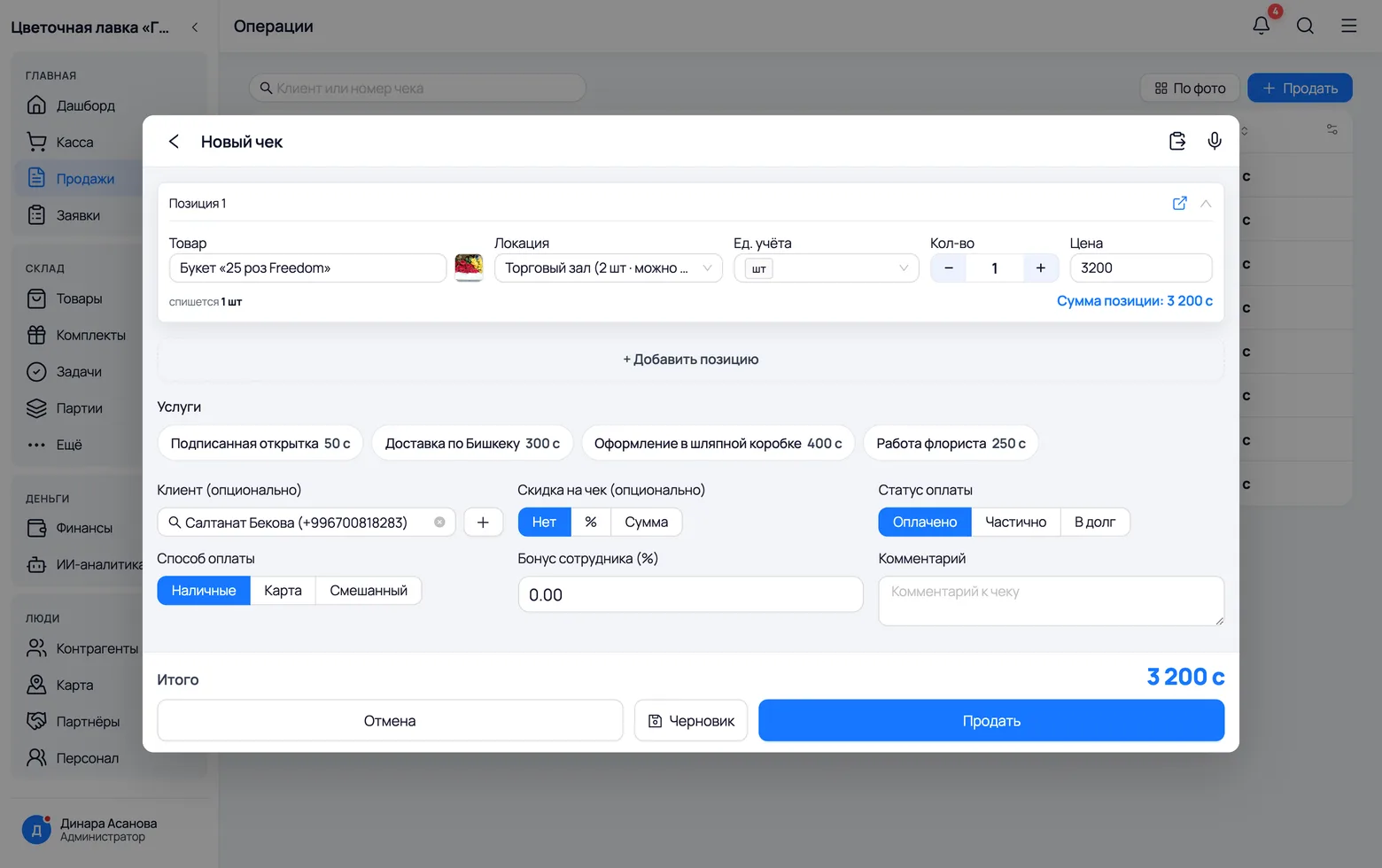
The salesperson should not have to think about whether the bouquet is made up. They pick the bouquet, set the quantity and ring up the sale, and the app decides: take a finished one from the vase, or build it on the fly out of flowers and materials.
 1
2
3
4
5
6
1
2
3
4
5
6
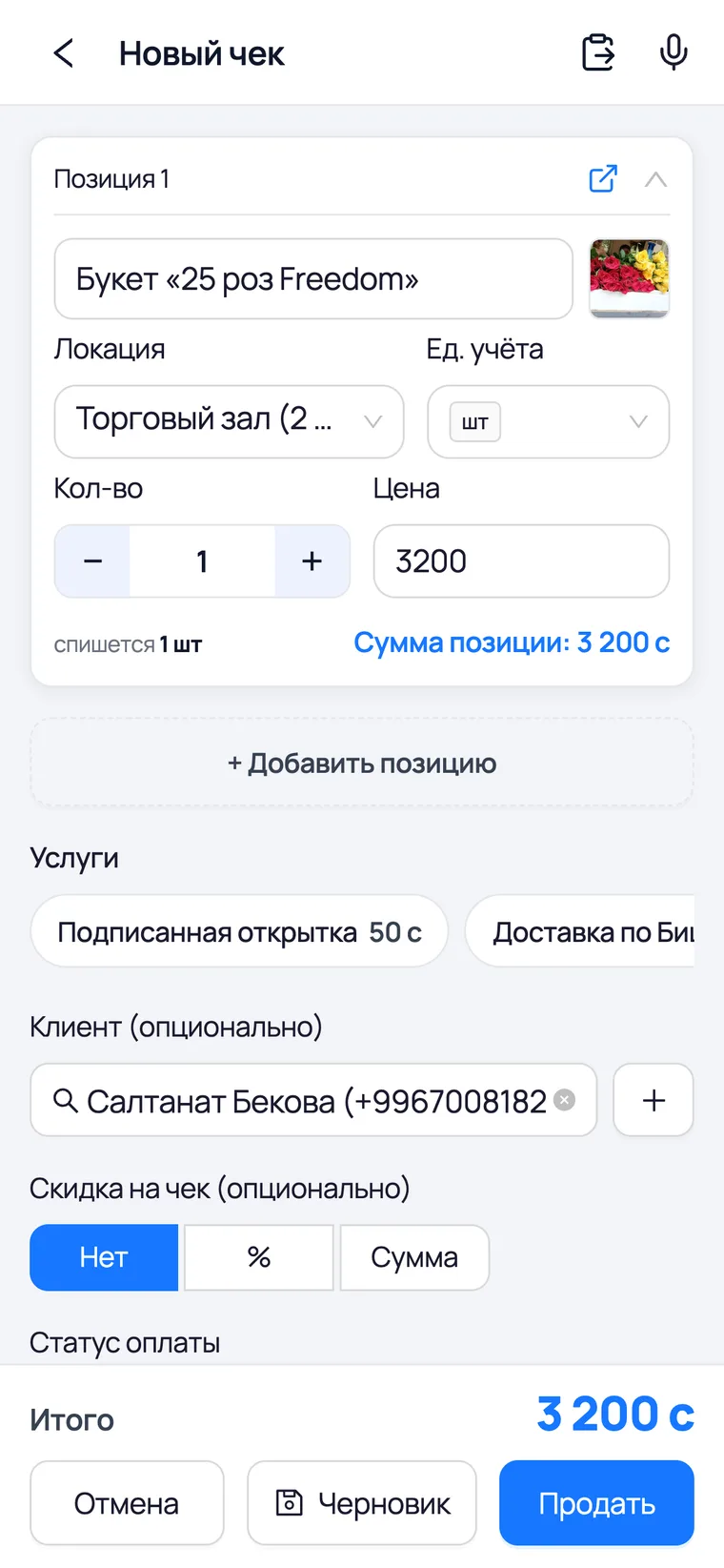
- 1Product — a bouquet is searched for just like a flower. You can sell both on one receipt: a bouquet plus five single roses.
- 2Location — where it goes from. This also decides whether there are enough finished bouquets or whether it must be built from that location's components.
- 3Customer — can be left empty for a walk-in. For a regular it is worth creating a card: it later shows what they buy and what they owe.
- 4Payment status — 'Paid', 'Partial' or 'Credit'. For a corporate client, the bouquets for their tables are usually put on account until the end of the month.
- 5Payment method — cash or card. The split matters in the evening, when the till is counted.
- 6Sell — the receipt is created, stock goes down, the money is in the till.
The receipt remembers what was in the bouquet
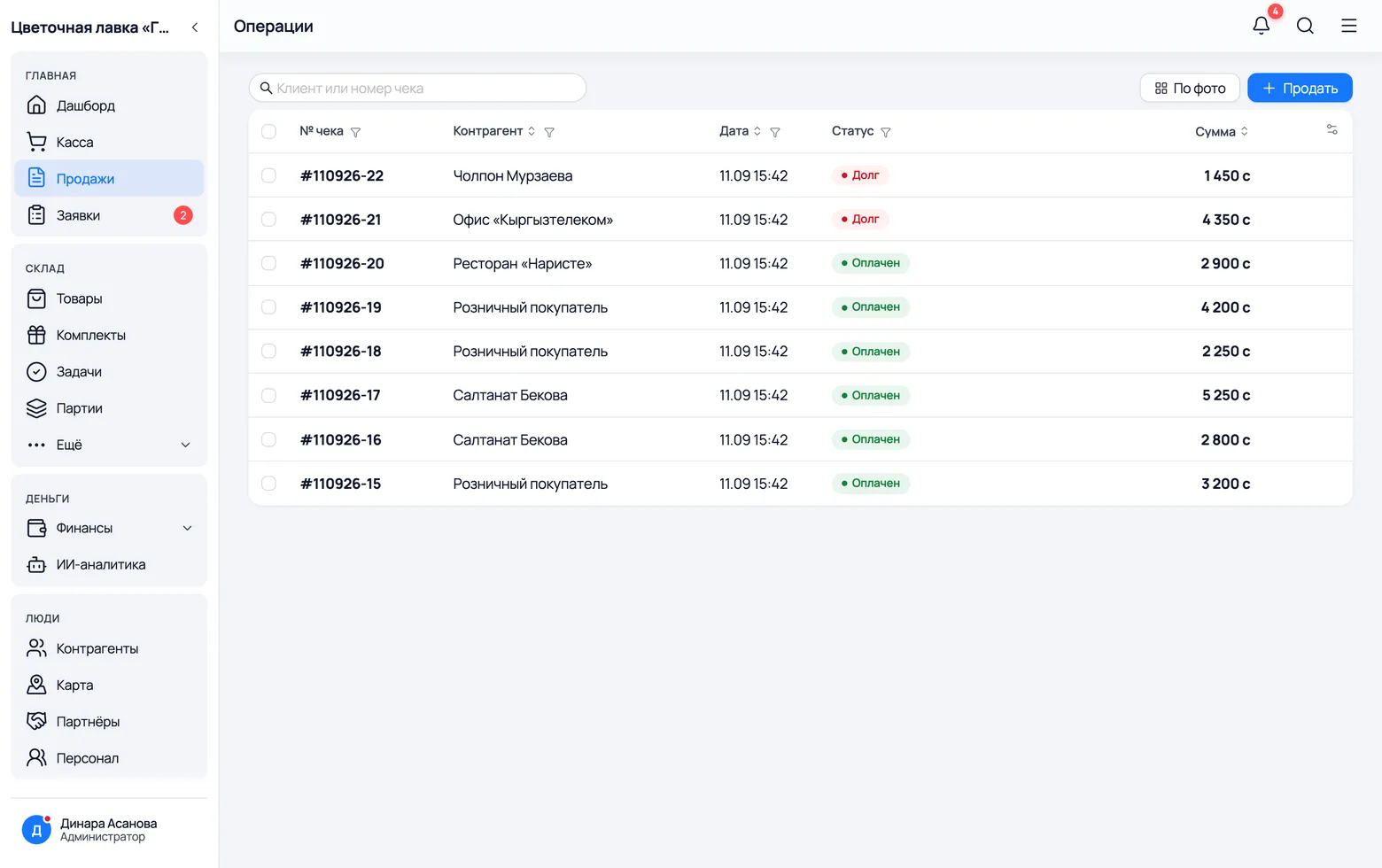
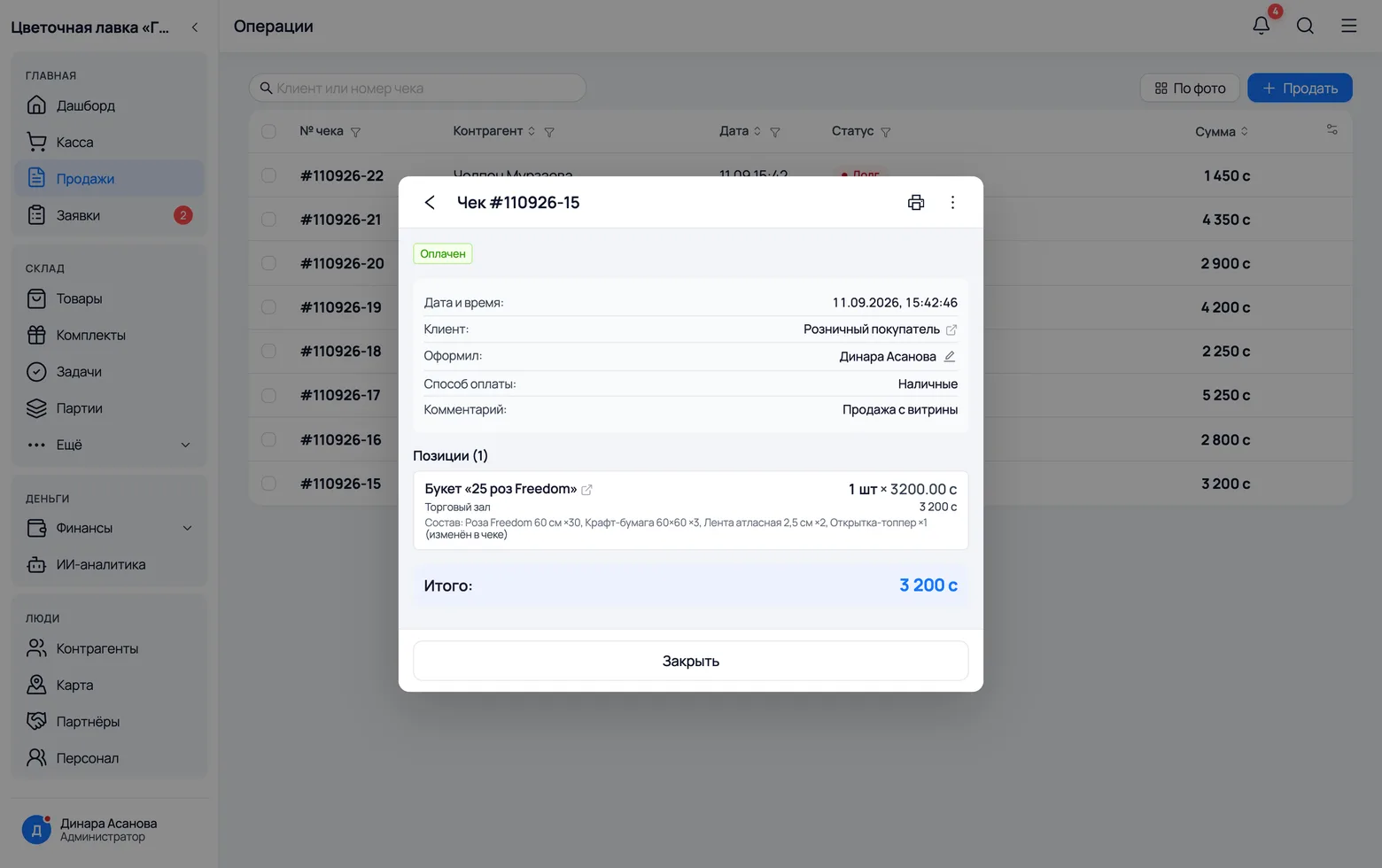
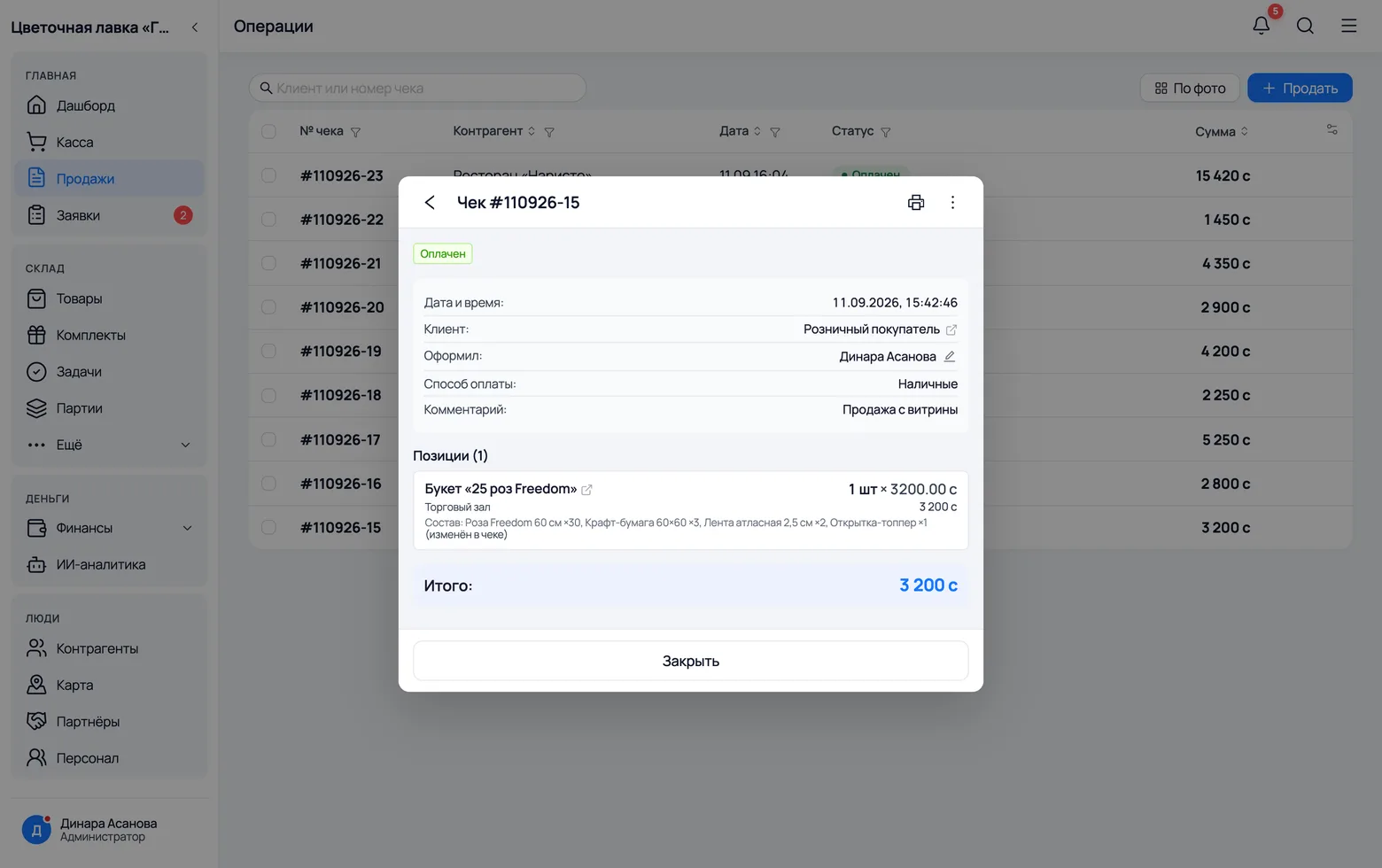
A week later the customer comes back saying 'I want the same one'. The answer is in the receipt: the bouquet line records the recipe of exactly the piece they took away.
 1
2
3
1
2
3
 4
5
6
4
5
6
- 1Receipt no. — how you find a sale when the customer comes back with a complaint or for a repeat.
- 2Status — paid, partial or on credit. Customer debts are summed up under 'Counterparties'.
- 3Sell — a new sale straight from here, without going back to the dashboard.
- 4Customer — who bought it. Under the bouquet line its recipe is written out, and 'edited' means the bouquet was reworked for this particular customer.
- 5Total — the receipt sum including services: delivery and the hand-written card are separate lines.
- 6Edit — editing the receipt: lines, amounts and the bouquet's recipe in this sale.
'Add five more roses' — edit it in the receipt
The customer at the counter changes their mind: make it thirty roses instead of twenty-five, and add a card. That is a fact about THIS sale, not a new recipe for the whole shop — so the recipe is edited inside the receipt, and neither the bouquet's card nor yesterday's sales change.
 1
2
3
1
2
3
- 1Open the receipt, then Actions → Edit. Under the bouquet line a block appears — 'The kit's recipe in this receipt' — the same editor as when assembling.
- 2You change the recipe and save: the difference moves stock (five roses and a card come off now) and the cost of this particular sale is recalculated. The receipt keeps a line — 'Recipe: … ×30 … (edited in this receipt)' — so a month later you can see exactly what the customer took away.
- 3The receipt total is edited separately: the extra charge for the five roses is something the customer settles with you, not with the app. The recipe answers for stock and cost; the amount answers for money.
Changing the recipe remakes what stands on the shelf
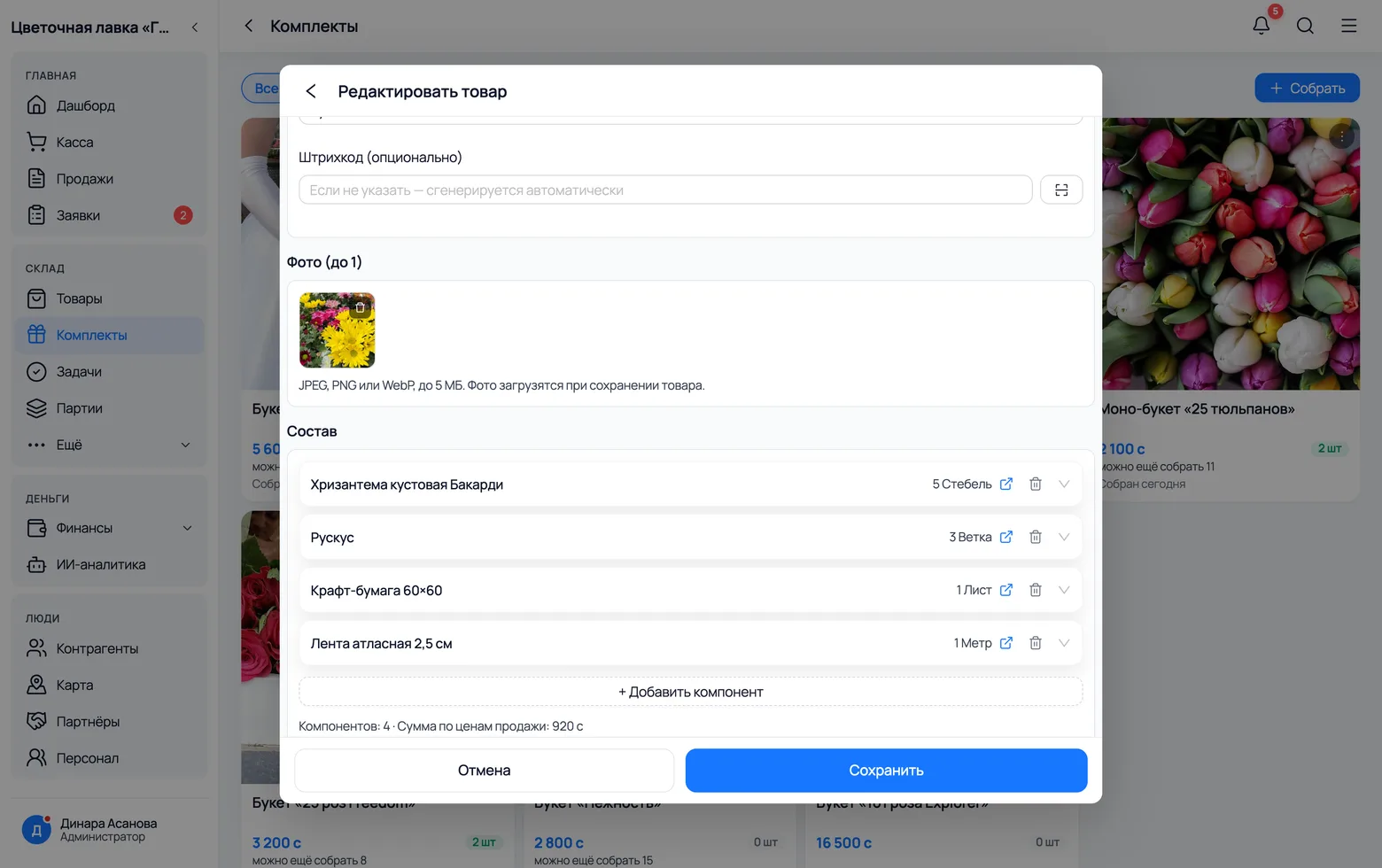
The salal has run out and the florist switches 'Compliment' to ruscus. Editing the card is not only about future assemblies: the six bouquets already standing on the floor are physically rebuilt by the app. The salal goes back into stock, the ruscus comes out of it.
 1
2
3
1
2
3
- 1Recipe — swap the line: ruscus instead of salal. Quantity and unit are edited right there in the line.
- 2Add component — a new line in the recipe. This is how a card is added, or paper swapped for film.
- 3Save — and at that moment the shelf is rebuilt. If there is not enough of the new component for everything standing on the floor, the app refuses outright; there will be no half-remade bouquets.
An order: a bouquet for a date
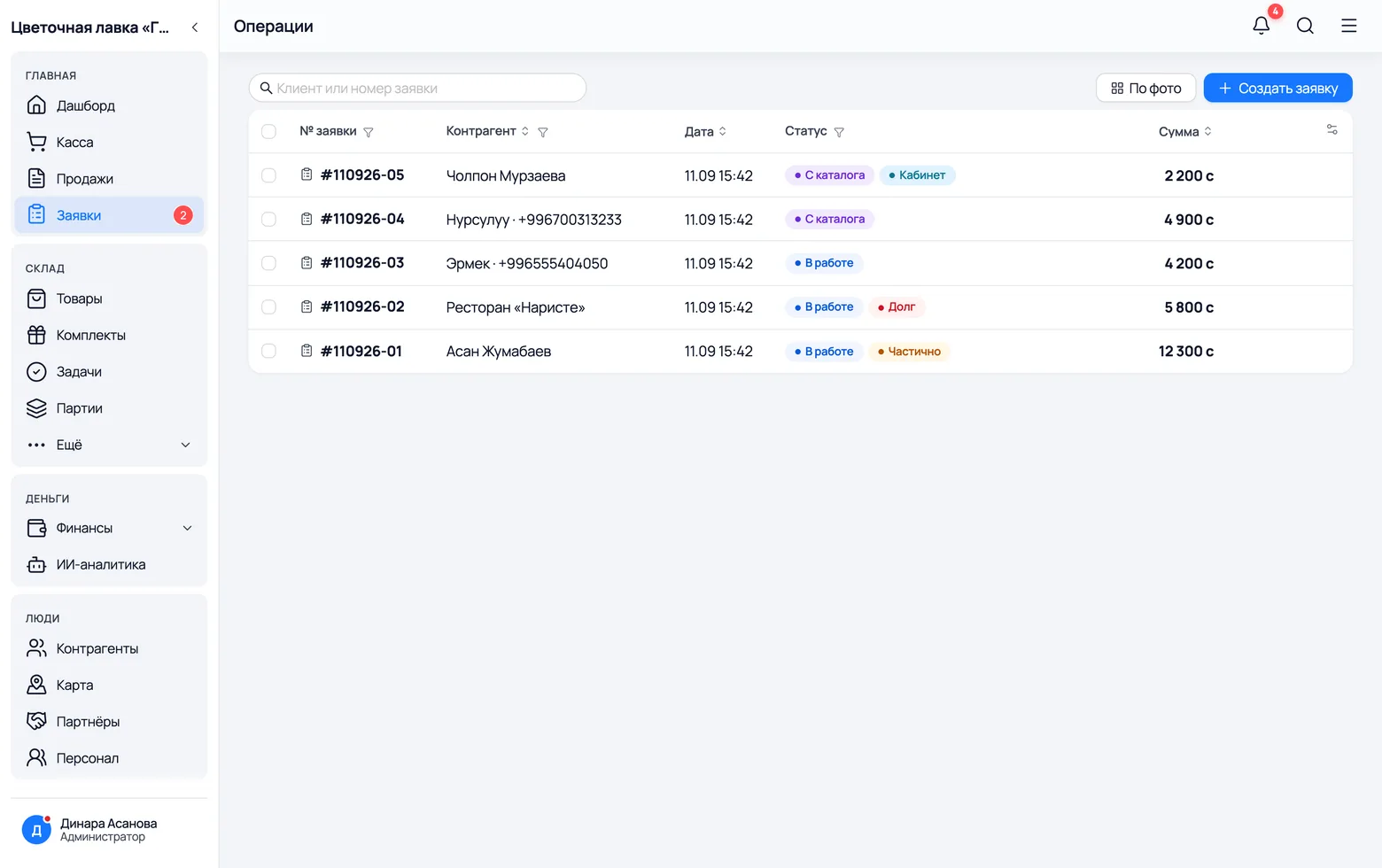
A wedding on Saturday, a corporate order on Monday, International Women's Day in a week. An order is a sale that has not happened yet: it sits in progress, waits for its day and does not take flowers off the shelf — you will buy those closer to the date.
 1
2
3
4
1
2
3
4
- 1Status — 'In progress' until the bouquet is handed over. One tap turns the order into a receipt when the customer picks it up.
- 2From the catalogue and Cabinet — the order did not come from you: the person put it together themselves on the shop window or in their buyer cabinet.
- 3Accept — take a guest order into work. Until then it just sits there as new and reserves nothing.
- 4Create order — write down an order taken over the phone: a bridal bouquet, two large bouquets, delivery and a five-thousand deposit.
A shop window for customers
People choose a bouquet with their eyes
People choose a bouquet with their eyes: a shop window you send as a link
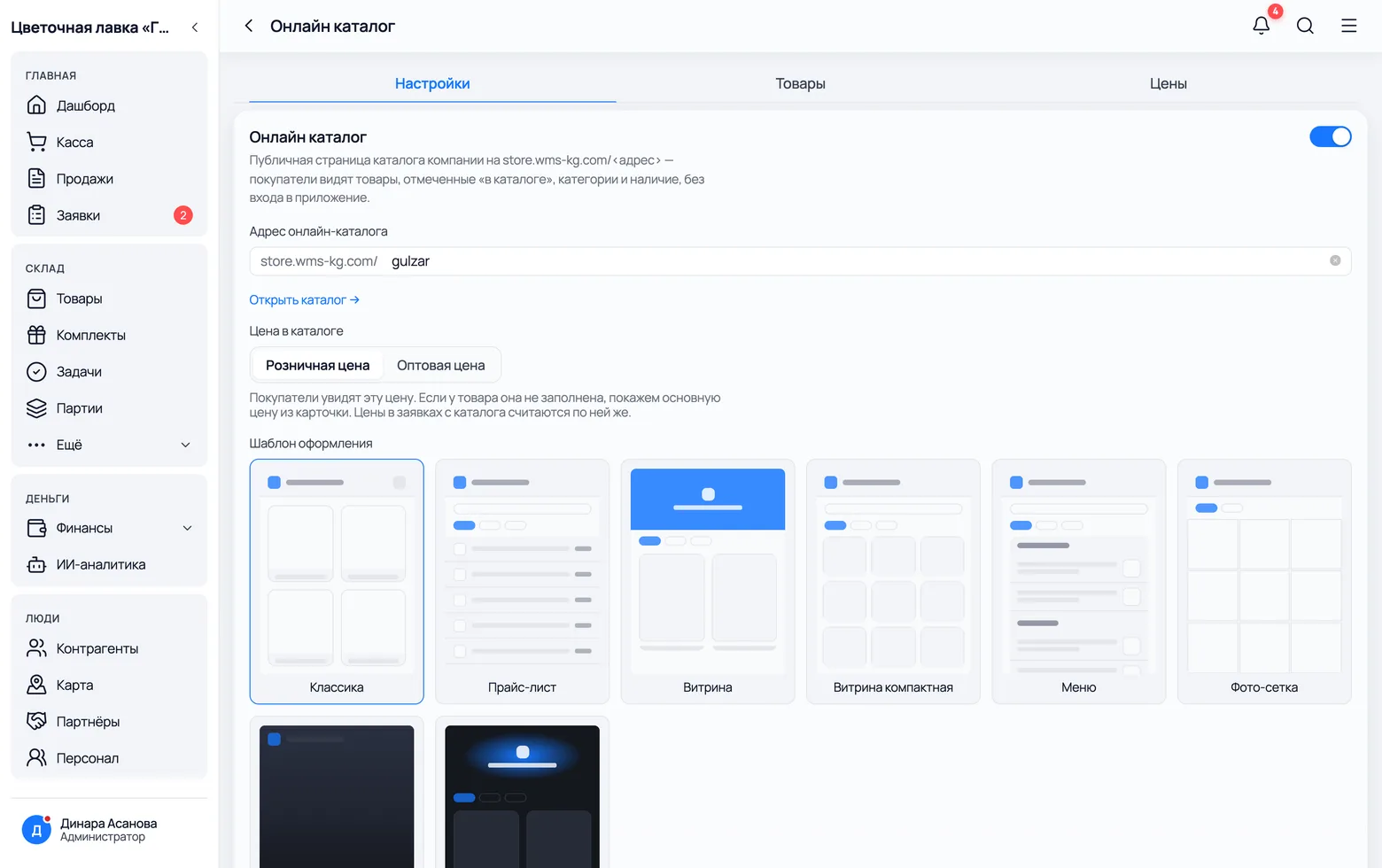
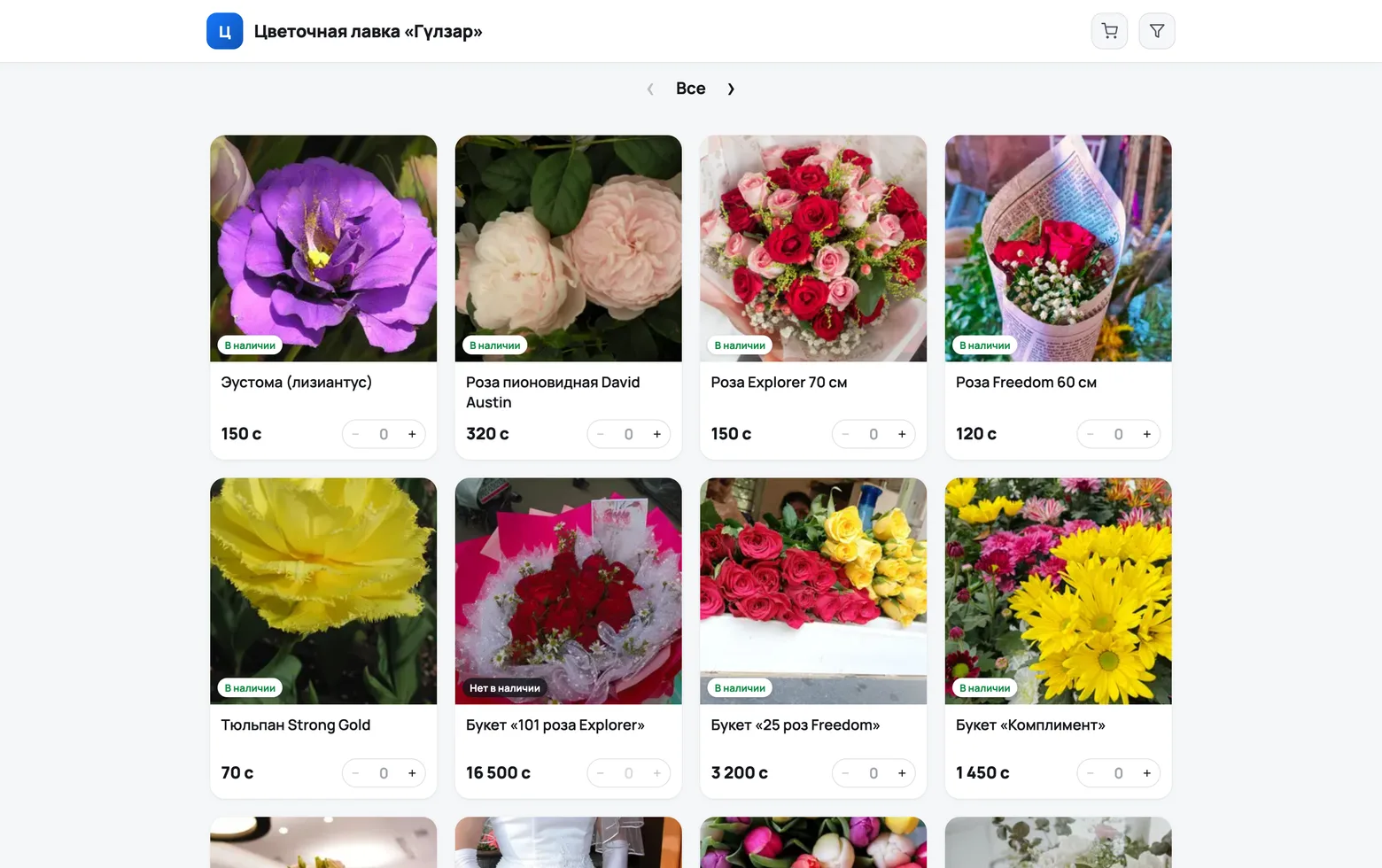
A flower shop needs an online catalogue more than anyone: your goods sell on a photograph. Turn on the shop window and the shop gets a page you can drop into WhatsApp, put in an Instagram bio and print as a QR code on the door.
 1
2
3
4
1
2
3
4
 5
6
7
5
6
7
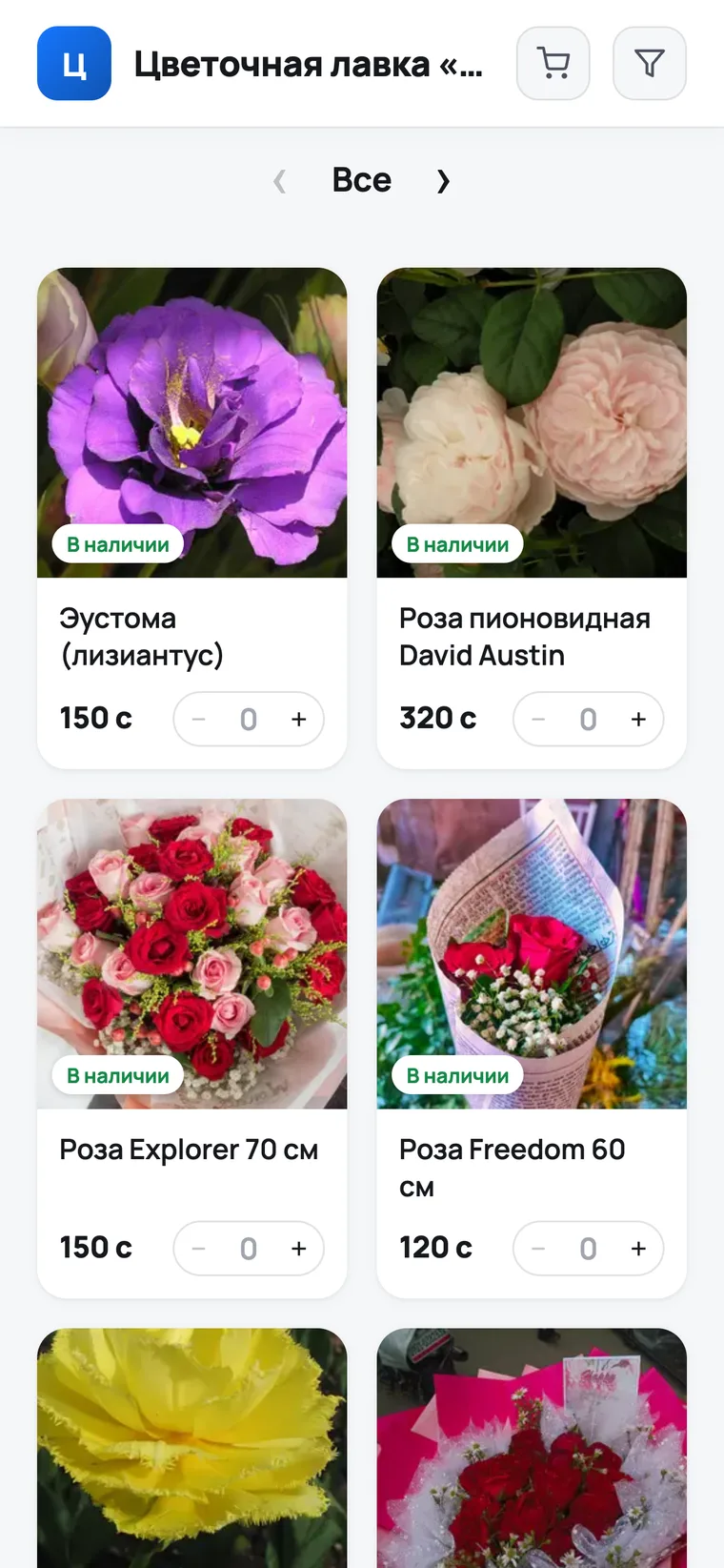
- 1Address — a short shop name in Latin letters. It goes into the link, so make it readable.
- 2Template — 'Photo grid' or 'Storefront': the ones with large images suit a flower shop. A list without pictures does not work here.
- 3Price in the catalogue — retail or wholesale. Individual items can have their price hidden entirely.
- 4Open catalogue — look at it through the customer's eyes. This is the same link you send.
- 5The customer sees the photo, the price and availability, fills a basket and leaves a phone number. On your side it turns up as an order marked 'From the catalogue'.
- 6Price on request — for the bridal bouquet and wedding arrangements: those are quoted per couple, not off a price list.
- 7For a regular customer set up a buyer cabinet: they see their own orders, their own balance and get a notification when flowers arrive at the shop.
Every day
The screens you will live in
Home: how the day went
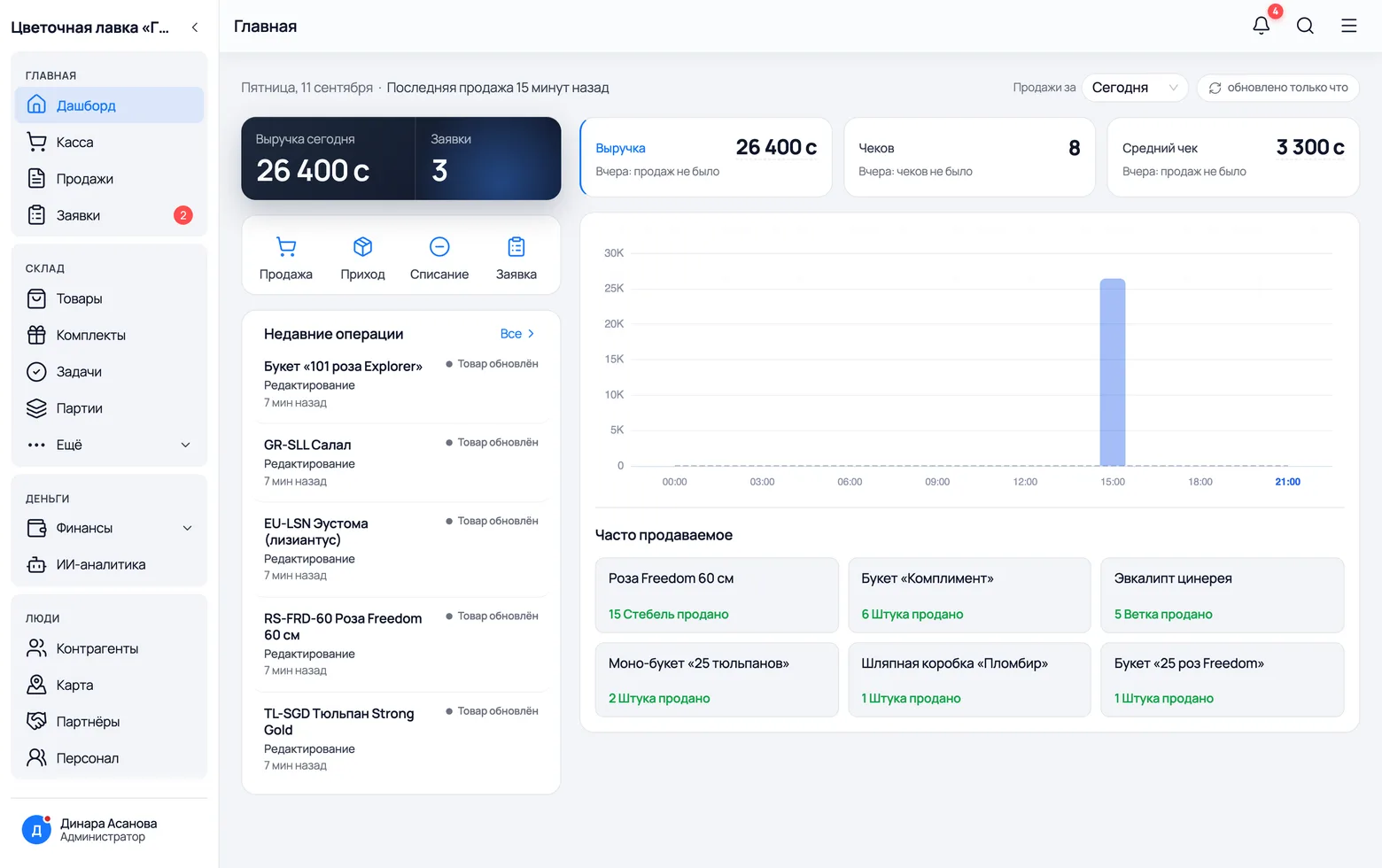
The first screen after signing in answers the shop owner's three questions: how much you sold, what people buy most often and what happened last.
 1
2
3
4
1
2
3
4
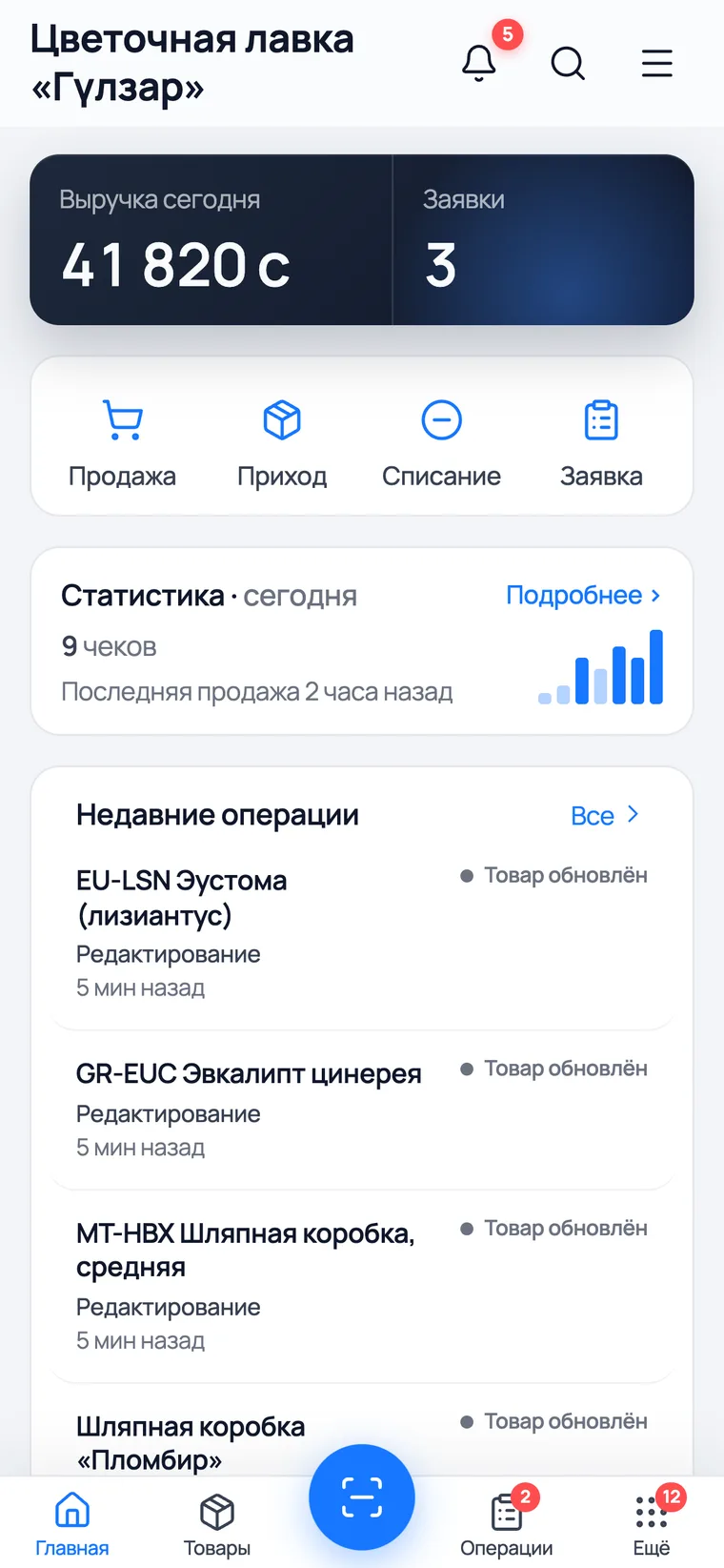
- 1Revenue today — how much money has gone through the till since the morning.
- 2Four buttons for every day: Sale, Arrival, Write-off, Order. Every operation starts here.
- 3Receipts and Average sale — whether there were many small three-rose sales or the opposite. Around 8 March these are the numbers that swing the most.
- 4Orders — how many are waiting for their date. For the shop this is tomorrow's work plan.
Writing off what has wilted
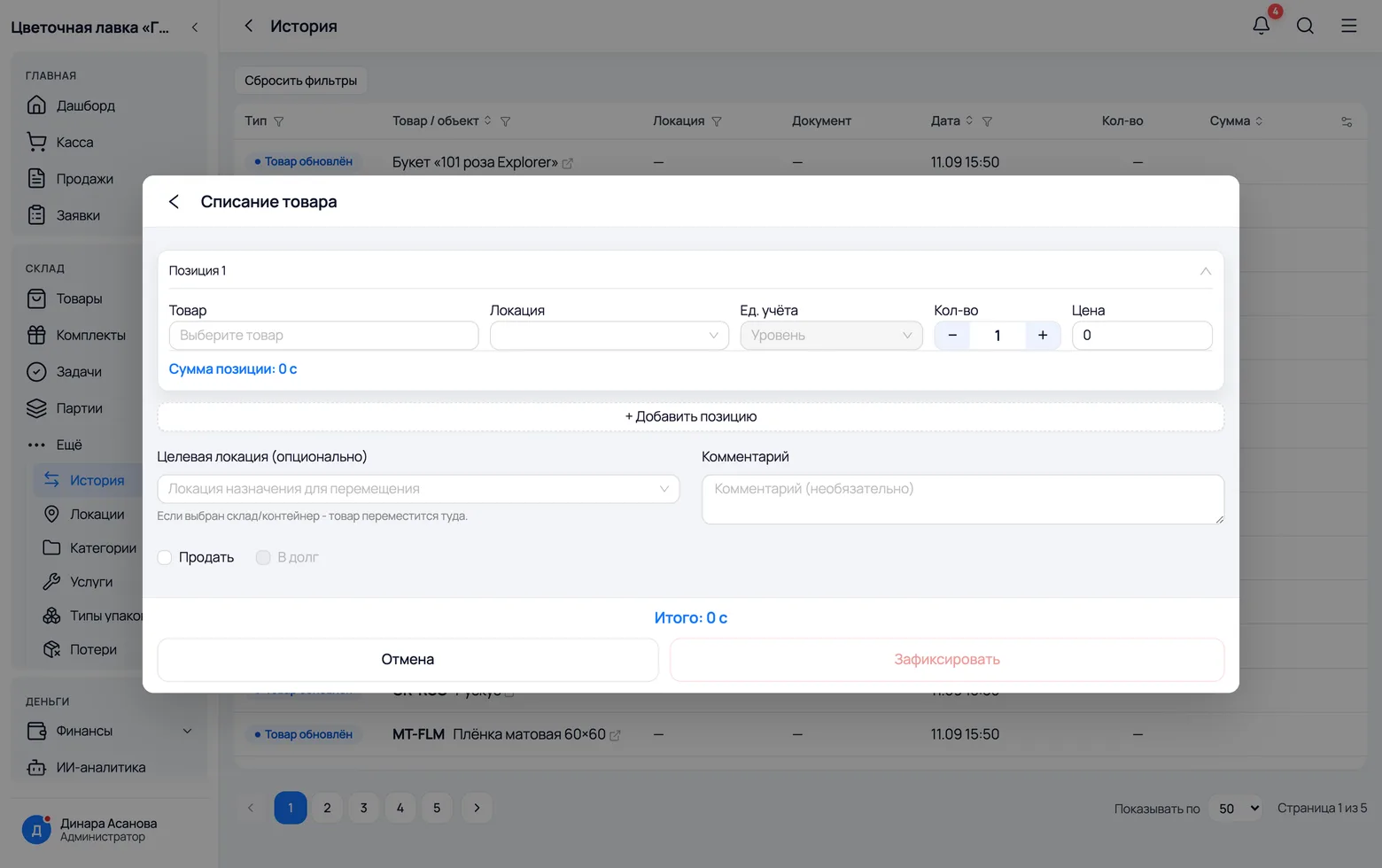
A flower lives about a week. A rose opened up, a tulip drooped, stems snapped while unpacking the box — this is not 'shrinkage' but plain money you should be able to see. A write-off removes the stock and leaves a trace in the log.
 1
2
3
4
1
2
3
4
 5
6
5
6
- 1Product and location — where it goes from. Usually the shop floor: flowers do not wilt in the cooler.
- 2Quantity — in stems. Twelve roses, twenty tulips.
- 3Target location — the same screen also does a transfer: leave the field empty for a write-off, or name the shop floor and the flowers move from the cooler to the display.
- 4Comment — the reason in words: 'opened up', 'overgrown', 'broken while unpacking'. A month later these tell you exactly what you are losing.
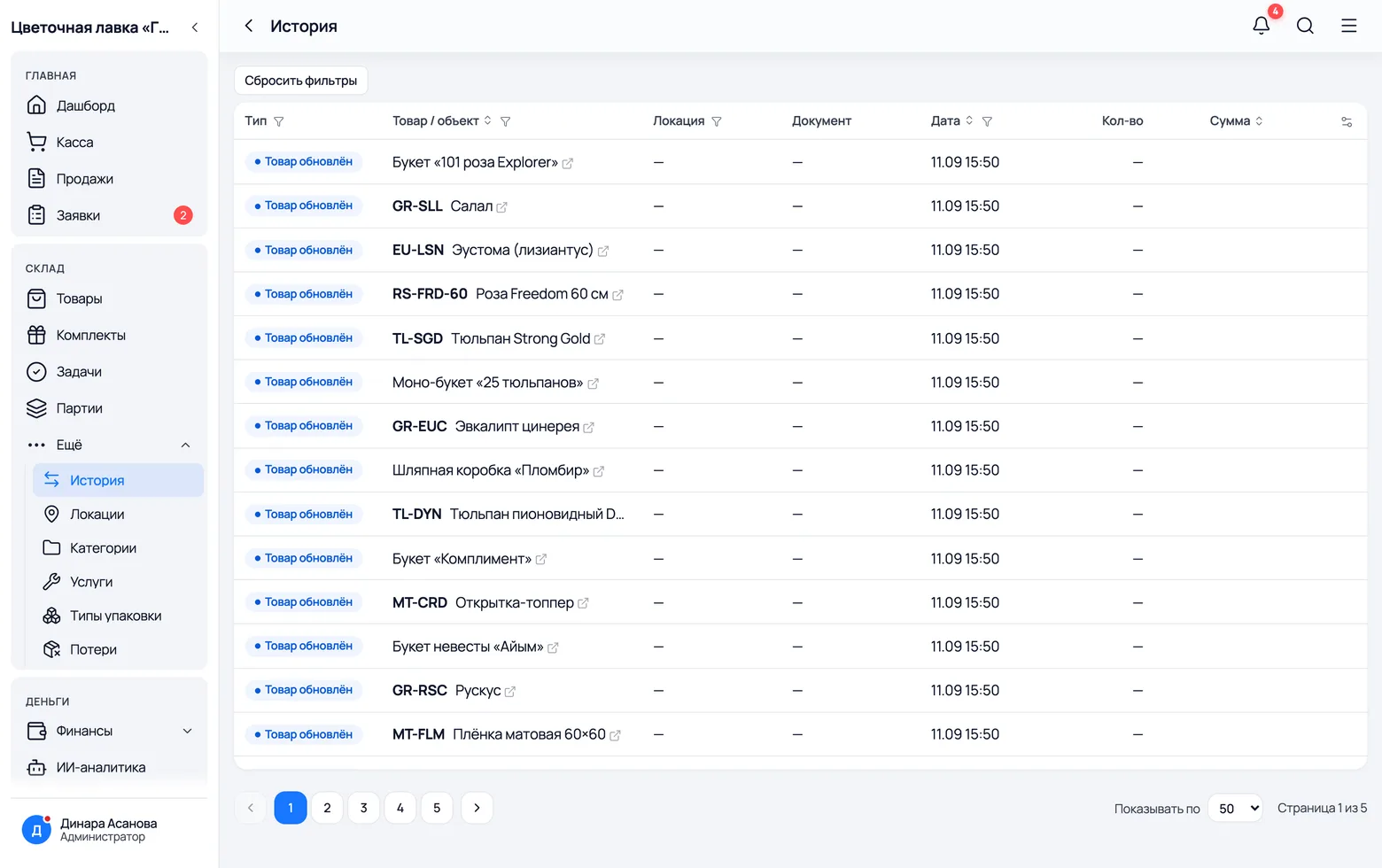
- 5Type in the history separates arrivals, sales, write-offs, transfers and rebuilds — that same recipe change that remade the bouquets on the shelf.
- 6Document — the receipt or order that caused the movement. From the history you can jump straight into it.
A rose costs more than the invoice says
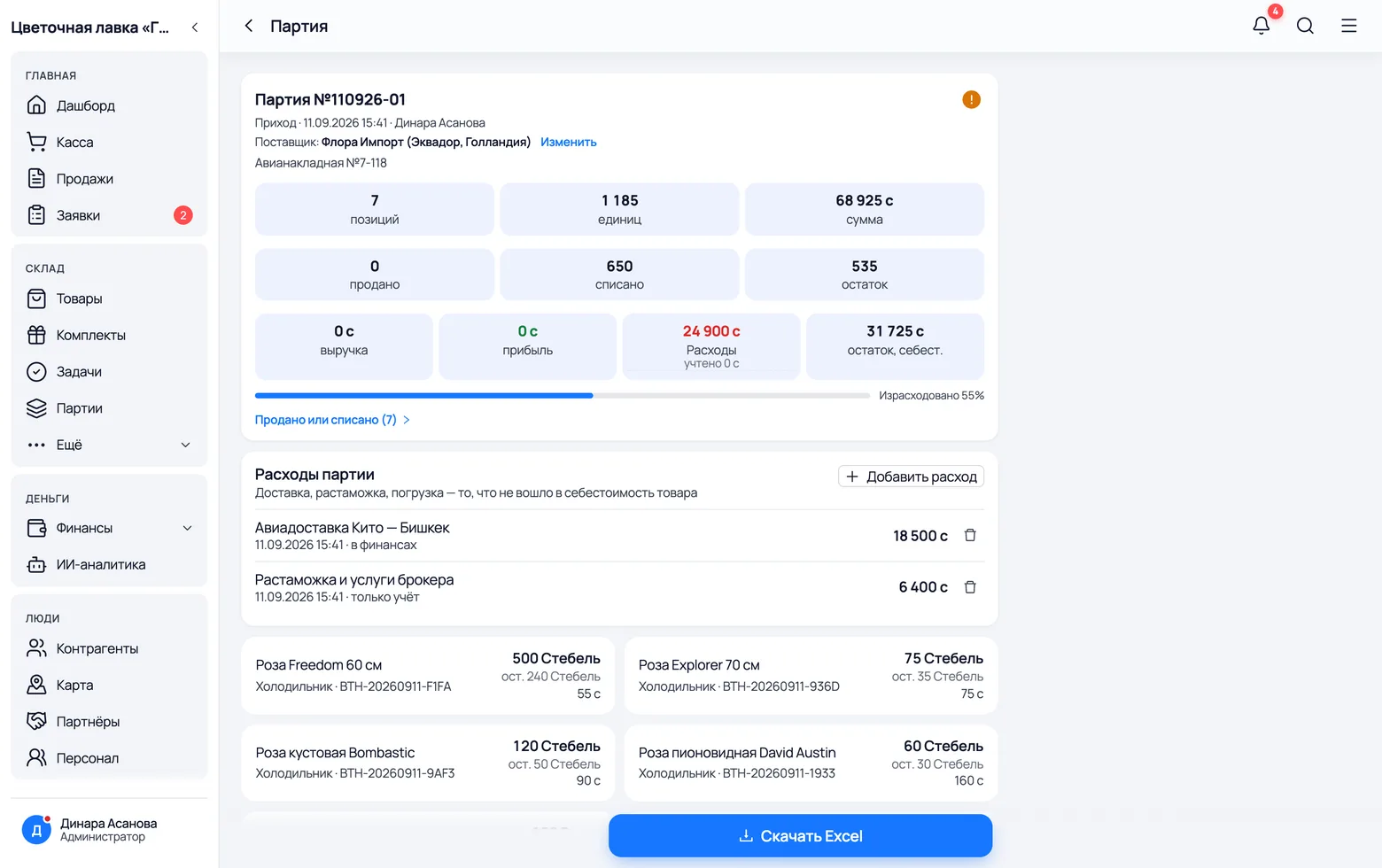
Ecuadorian roses come by plane: air freight, customs clearance, a broker. None of that money is on the invoice, but it left your pocket all the same. Enter it as delivery expenses and the batch's profit becomes real.
 1
2
3
4
1
2
3
4
- 1A batch is one invoice: seven lines, 1,185 stems, so many som of purchase. It is created automatically on arrival.
- 2Revenue — how much this delivery has brought in so far: the money from what has been sold out of it.
- 3Profit — after the purchase cost and the share of expenses that falls on what was sold. The whole air freight is not deducted at once: half the batch is still in the cooler.
- 4Add expense — a name and an amount. The 'in finance' tick decides whether the money leaves the company balance or is only recorded against the batch's profit: customs is often paid separately.
The shop's money
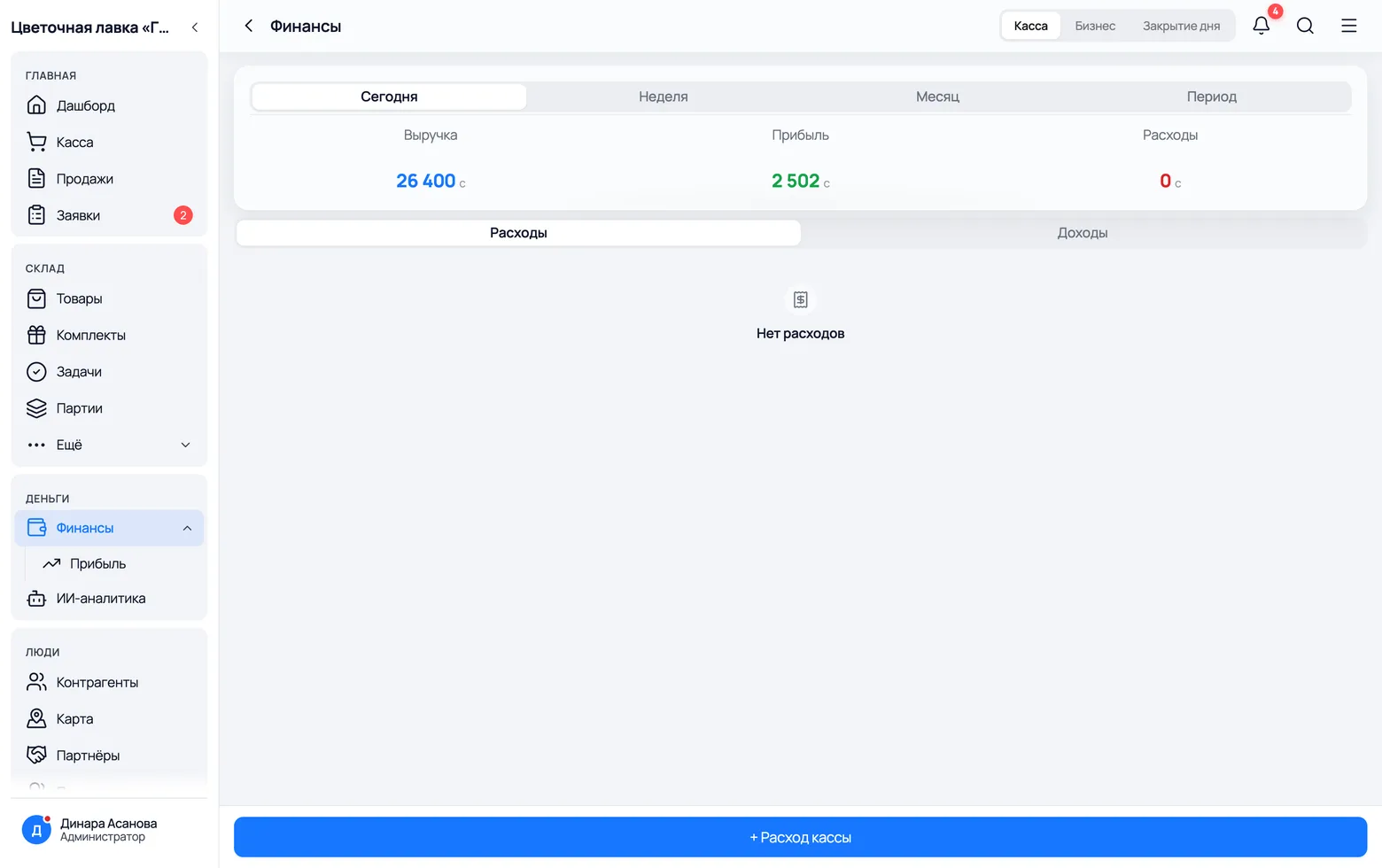
Revenue is not profit, and profit is not what is in the cash drawer. The 'Finance' screen shows all three numbers separately and explains why they differ.
 1
2
3
4
1
2
3
4
- 1Revenue — the sum of every receipt for the period. Neither the cost of the flowers nor the florist's work has been taken out yet.
- 2Profit — revenue minus the cost of what was sold. A bouquet's cost already contains the flowers, the paper and the labour — so the number is honest straight away.
- 3Expenses — rent, wages, fuel, customs. You enter these by hand: the app knows about goods, not about the electricity bill.
- 4Closing the day — the evening reconciliation: how much cash should be in the drawer and how much went through by card.