Where your customers come from: channels, their sales, and the report
Instagram, WhatsApp, the sign by the road, word of mouth — the app works out how much money each channel brings. The salesperson marks the source with one tap during the sale, and you get a report showing where your advertising pays off and where you are paying for nothing.
Setting up
Once, five minutes
Turning on source tracking
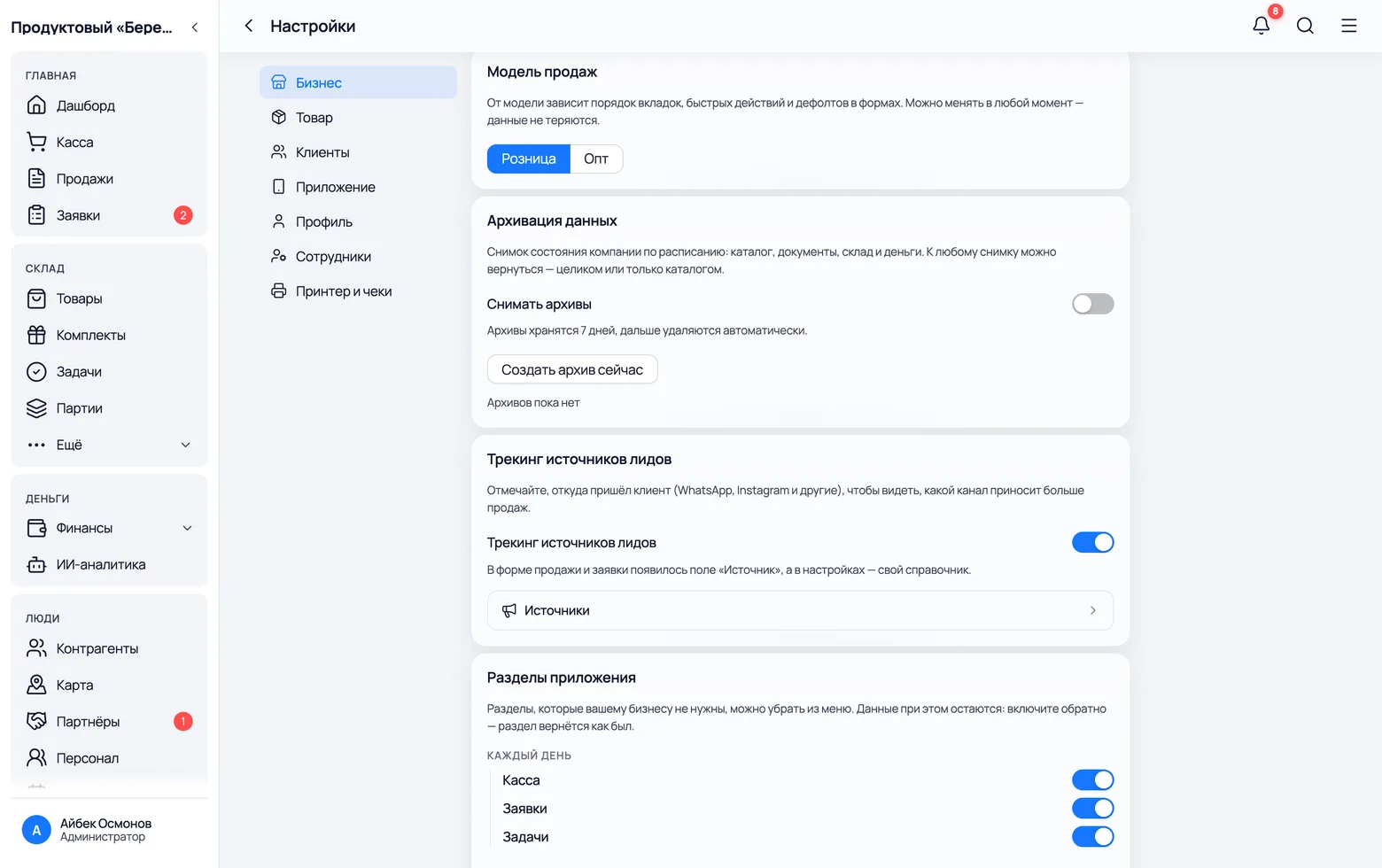
While the switch is off there is no 'Source' field anywhere in the app — not in a sale, not in an order, not in the reports. You turn it on once, and only the owner can do it.
 1
2
1
2
 3
3
- 1In the menu: Settings → Business → Lead source tracking. The switch turns on the 'Source' field across the whole app.
- 2Sources is the list of channels. The button appears only while tracking is on — switching the feature off hides it too.
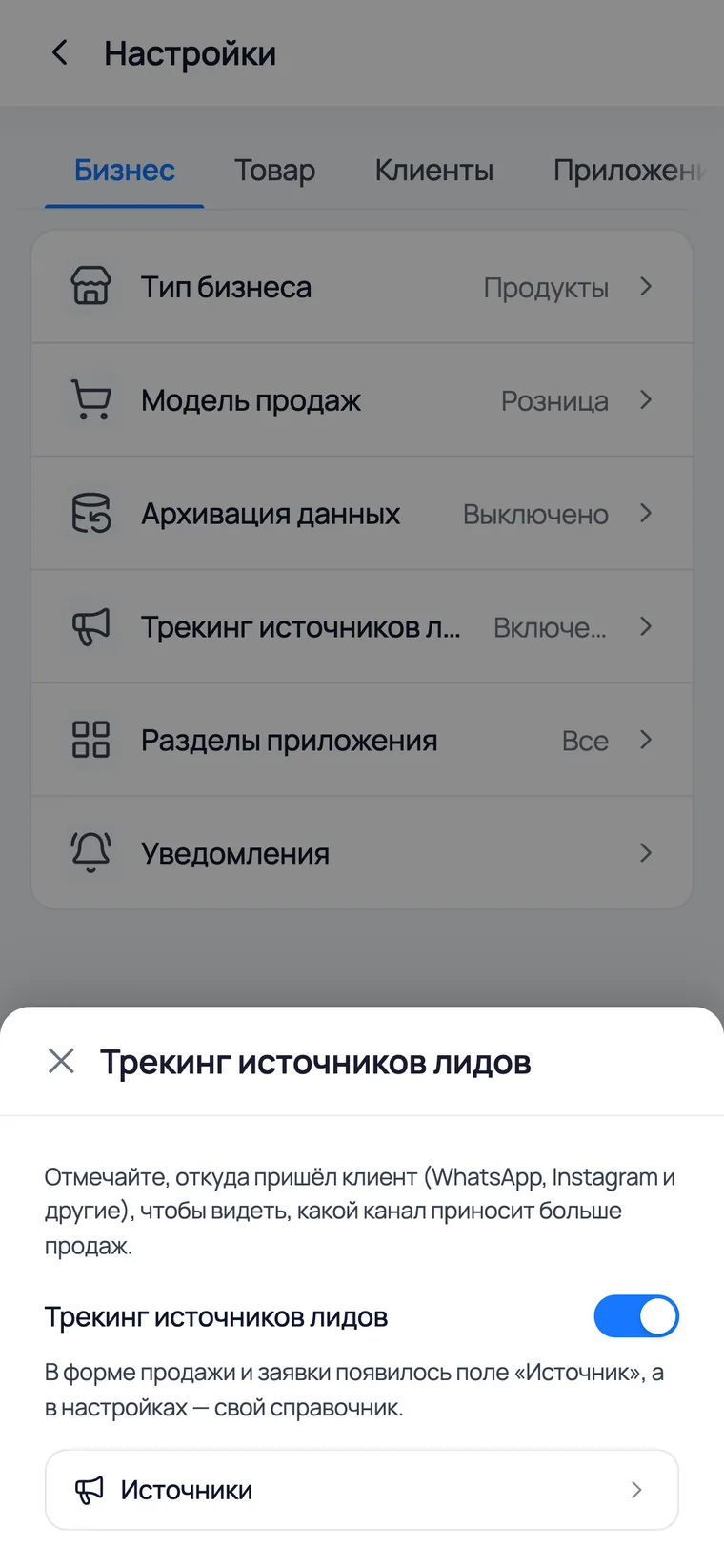
- 3It is the same on a phone: More → Settings → Business; the 'Lead source tracking' row opens in a bottom sheet.
- Switching it off deletes nothing: sources already recorded stay on the receipts, and the report is there again when you switch it back on.
- An employee cannot use the switch — only the owner or an administrator changes company settings.
Your own channels: WhatsApp, Instagram, the sign
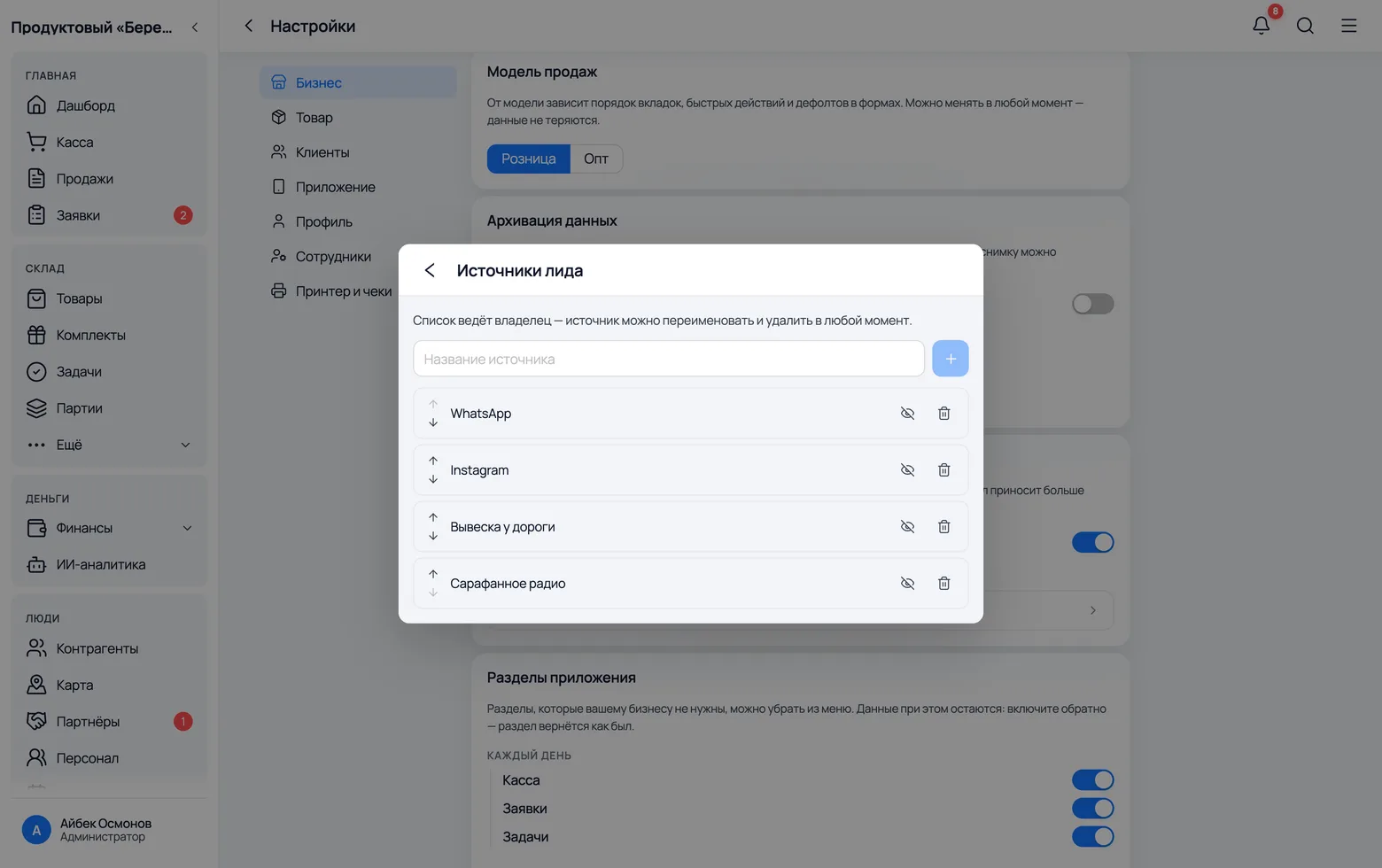
WhatsApp and Instagram are created automatically when you switch tracking on. Then add whatever you pay for or measure: the sign, leaflets, a blogger's ad, word of mouth.
 1
2
3
1
2
3
- 1WhatsApp — orders from chats and calls to the number on your page. The most honest channel: it shows both the number of enquiries and the money.
- 2Instagram — people who came from stories and posts. They usually write a lot and buy less; that is normal, and it is exactly what the report will show later.
- 3Add your own: 'Word of mouth', 'The sign by the road', the name of a specific ad. The closer the name is to how you say it out loud, the more willingly your staff will mark it.
- A source can be hidden rather than deleted: it disappears from the list during a sale but stays on old receipts and in reports for past months.
- Do not create a dozen channels at once. Four or five is the limit, beyond which a salesperson stops choosing thoughtfully and just taps the first one.
Every day
The salesperson's habit
Asking during the sale: 'How did you hear about us?'
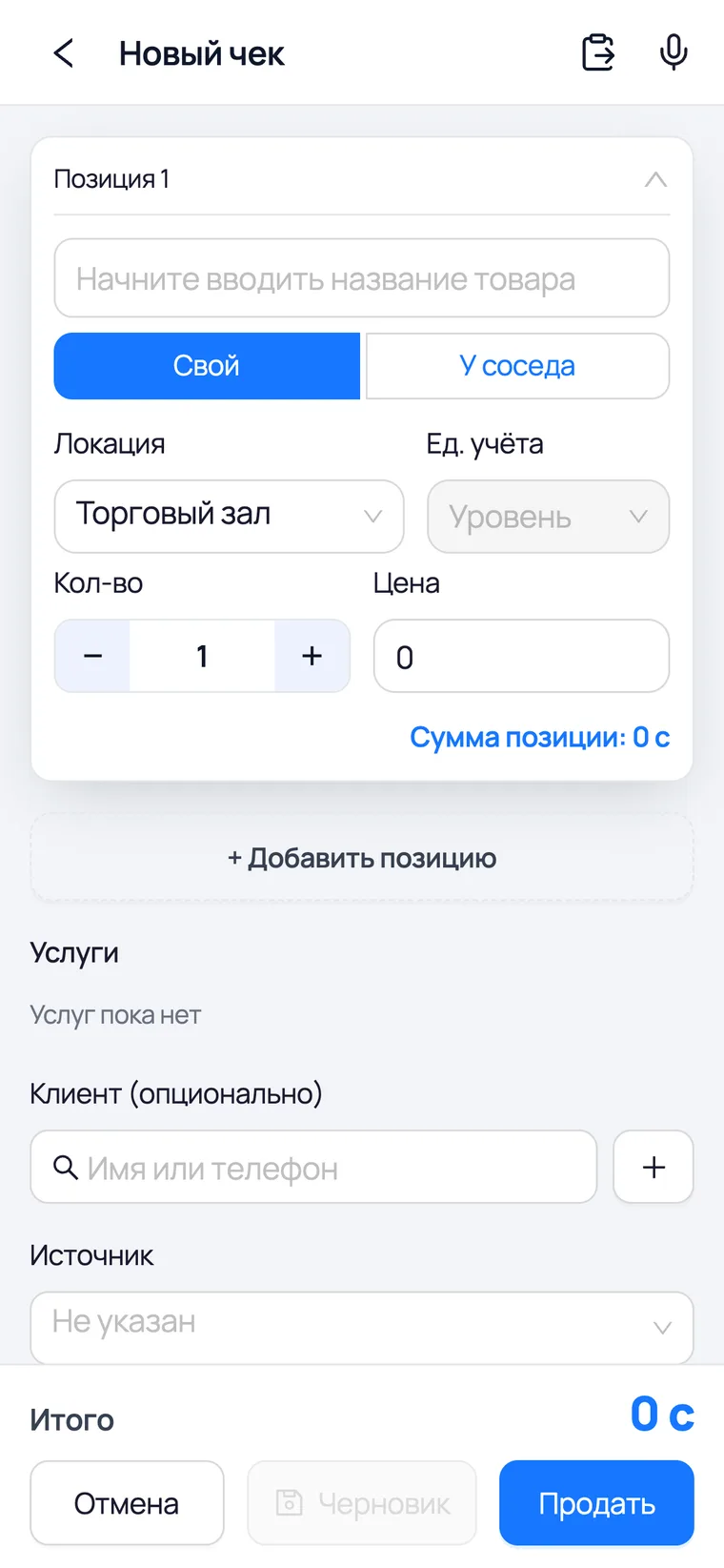
The whole feature rests on one question from the salesperson and one tap. The source is set at the moment of sale and stays on the receipt forever — no one can reconstruct it afterwards.
 1
2
3
1
2
3
- 1Customer is optional: the source counts even for an unnamed retail sale. But if a customer is chosen, you will later see which channel brought them in.
- 2Source is a dropdown of your channels. It defaults to 'Not specified' — the app never guesses on the salesperson's behalf.
- 3Sell — the source goes onto the receipt along with the items. From then on it lives in the history and in the report, and there is no point changing it.
- The same field is on an order: a customer wrote on Instagram and asked you to set goods aside — the source is recorded at once and moves onto the receipt when the order is completed.
- There is deliberately no 'Source' field at the till: there is a queue and a scanner there, and an extra question at the belt costs more than the channel data is worth.
The source stays on the receipt
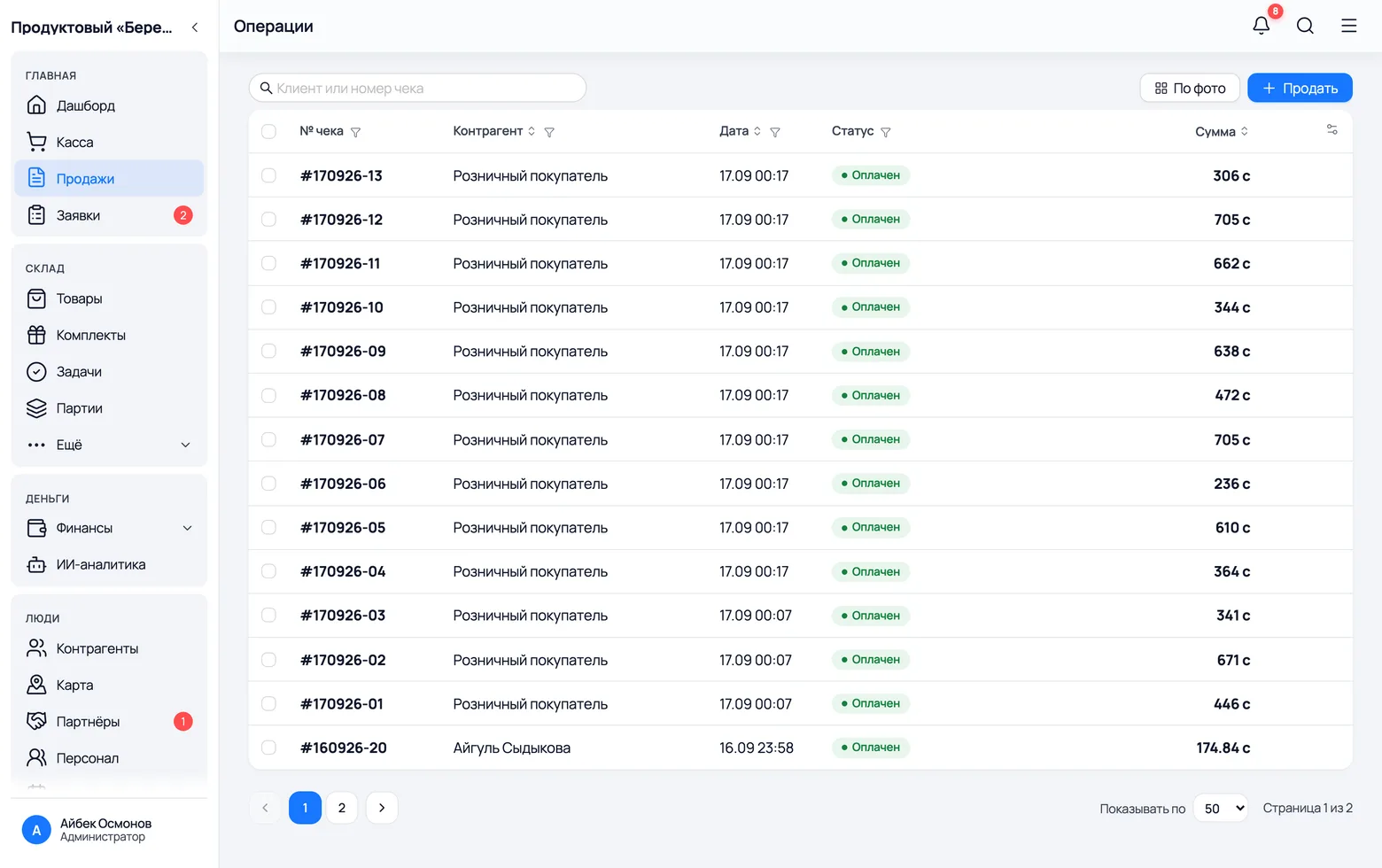
Every sale remembers its channel. This is not a service note: it is what later produces the channel's revenue and the conversion of enquiries during a shift.
 1
2
1
2
- 1Sales is the overall list of receipts. Open any of them: the source is on the card together with the customer, the items and the payment.
- 2The amounts in the list are what add up to a channel's revenue in the report. A cancelled receipt is left out; a return reduces it.
- You can correct the source on a posted receipt by editing it — but only while people are still learning: it is better not to rewrite last month's report figures after the fact.
How many wrote, and how many bought
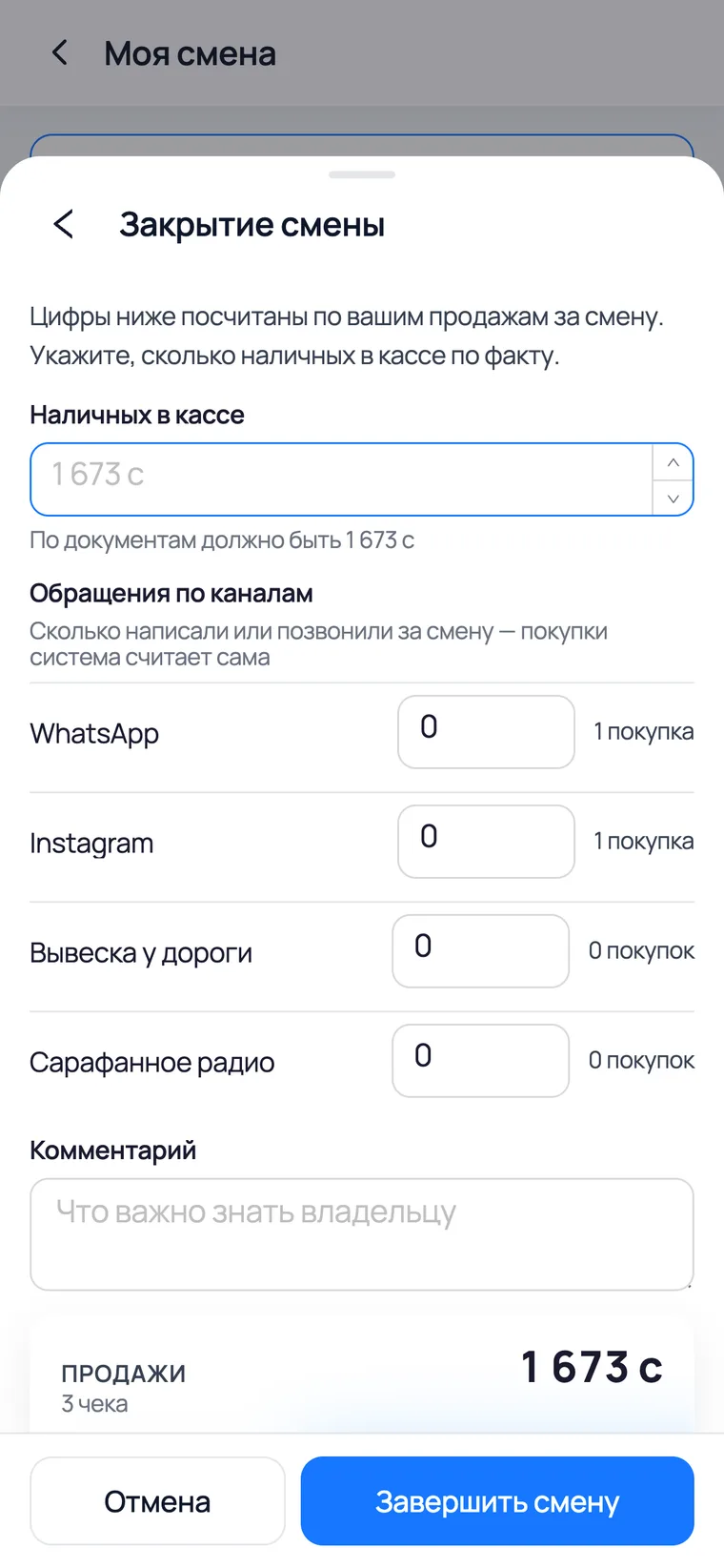
The app counts the sales itself, but only the salesperson knows how many people got in touch. So the number of enquiries is entered when the shift is closed — and right next to it you see how many of them bought.
 1
2
3
1
2
3
- 1The 'Enquiries by channel' block appears on the shift-closing form — but only if source tracking is on.
- 2The salesperson enters how many people wrote in on each channel. On the right the app itself shows how many purchases went through that channel during the shift.
- 3Finish shift — and the pair 'wrote in / bought' is frozen into the shift report together with the conversion. Over a month those pairs answer the question: how many came from Instagram and how many of them reached the till.
- Shifts are a separate feature with their own switch in Settings → Staff. Sources work without them too — you keep the money report, just without the enquiry count.
What you get
Once a month
The report: how much money each channel brought
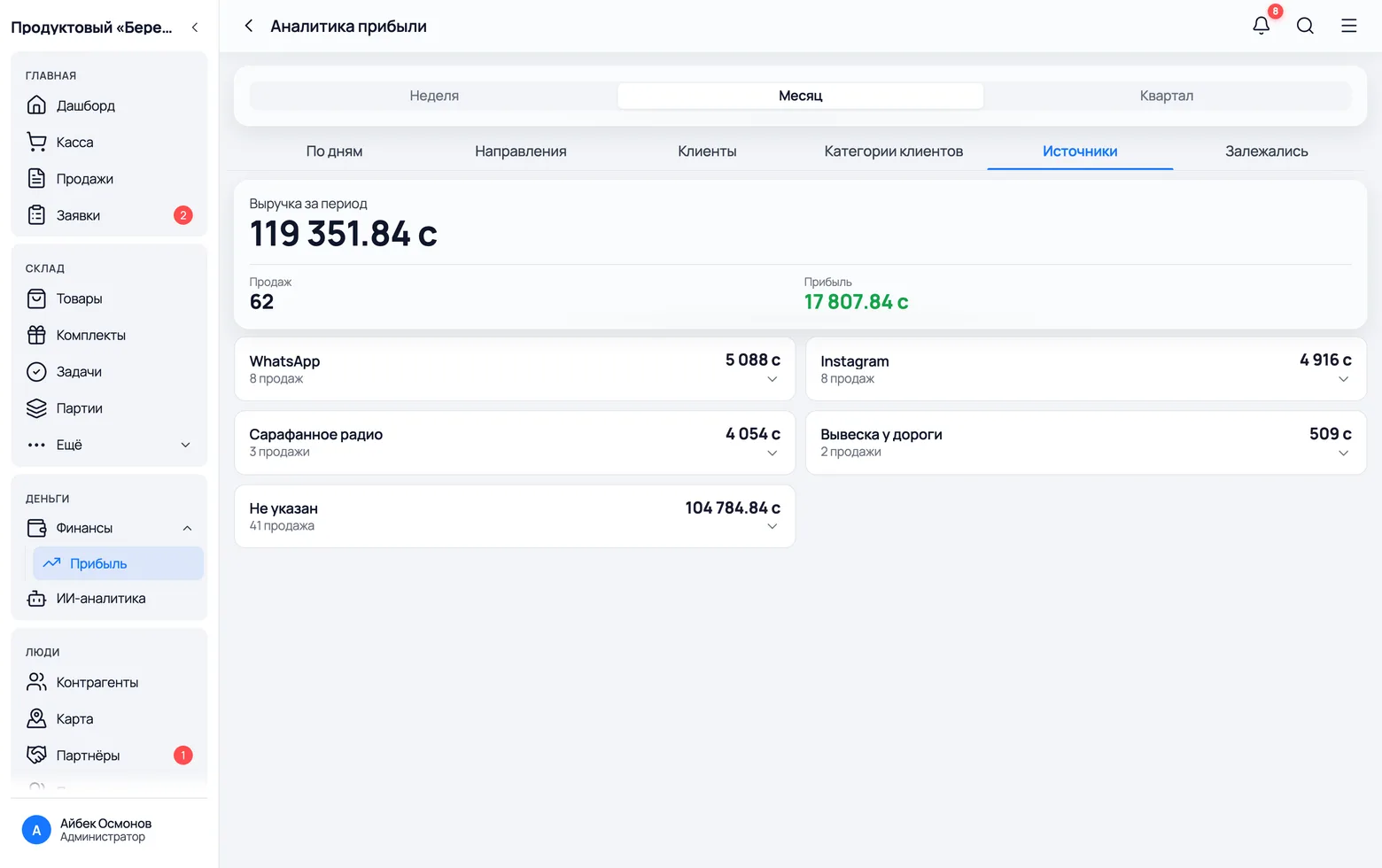
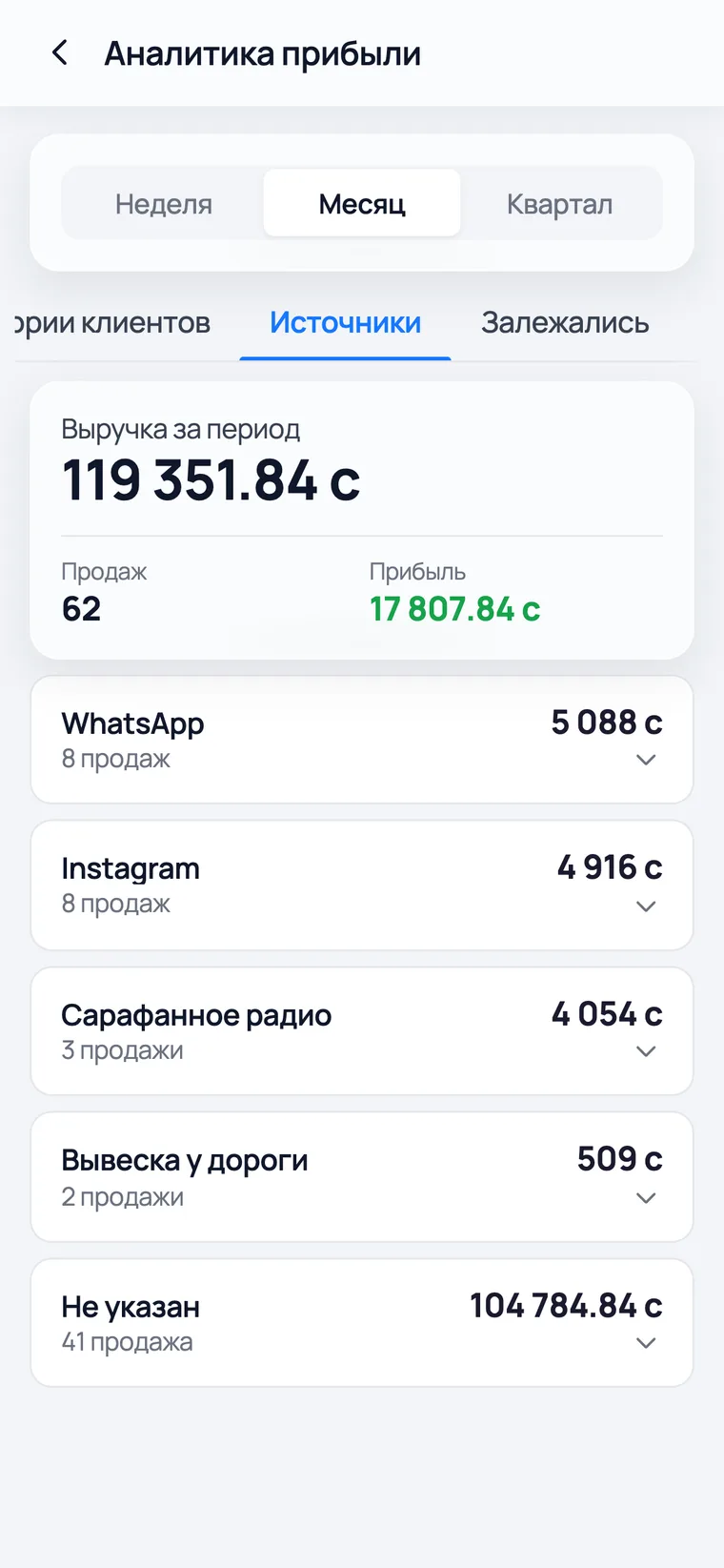
This screen is the whole point. Channels are sorted by money, and the number of sales sits next to the revenue — so you see at once where there are many small receipts and where there are rare but large ones.
 1
2
3
1
2
3
 4
4
- 1Finance → Profit → the 'Sources' tab. The tab appears only while tracking is on — otherwise there is nothing to show.
- 2Each card is a channel: the sales total and how many there were. Click it to expand the list of the receipts themselves.
- 3'Not specified' covers sales where no one asked. At first this line will be the biggest; the faster it shrinks, the more meaningful the rest of the report becomes.
- 4Week / Month / Quarter — the period at the top. For advertising, look at the month: weeks are too noisy, where a couple of random large receipts decide everything.
- The report counts by the date of the sale, not the date of the enquiry. A customer wrote on Monday and collected on Wednesday — the money lands on Wednesday.
- Next to a channel's revenue is the profit for the whole period — that figure is overall, not per channel: cost is calculated from product batches, not from advertising.