Customer cashback: how it builds up and how it is spent
A percentage of every purchase builds up on the customer's bonus balance, and next time it can pay part of the bill. The app accrues it automatically, the salesperson spends it with a single tick, and the whole movement history is on the customer's card.
Setting up
One number — the percentage
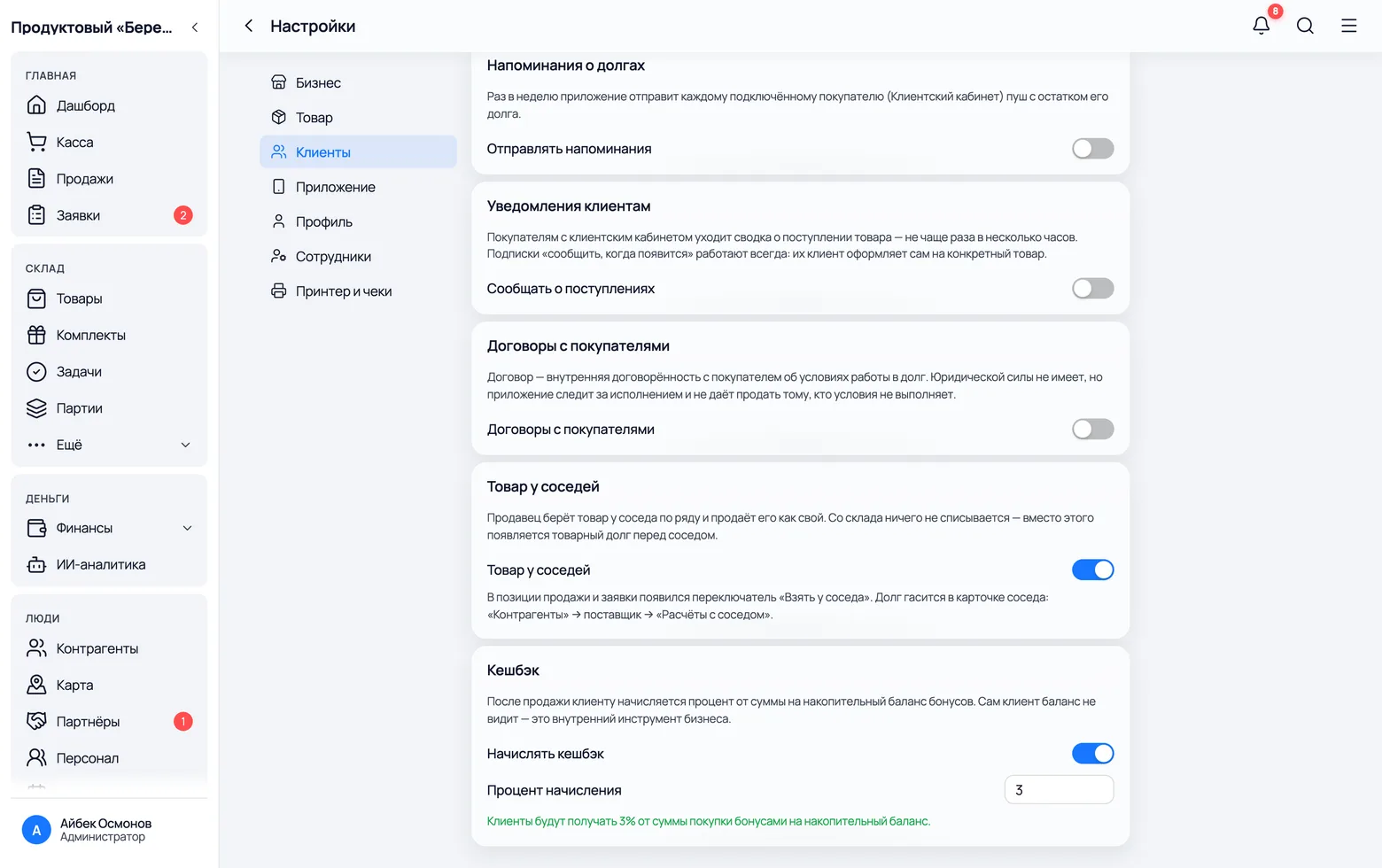
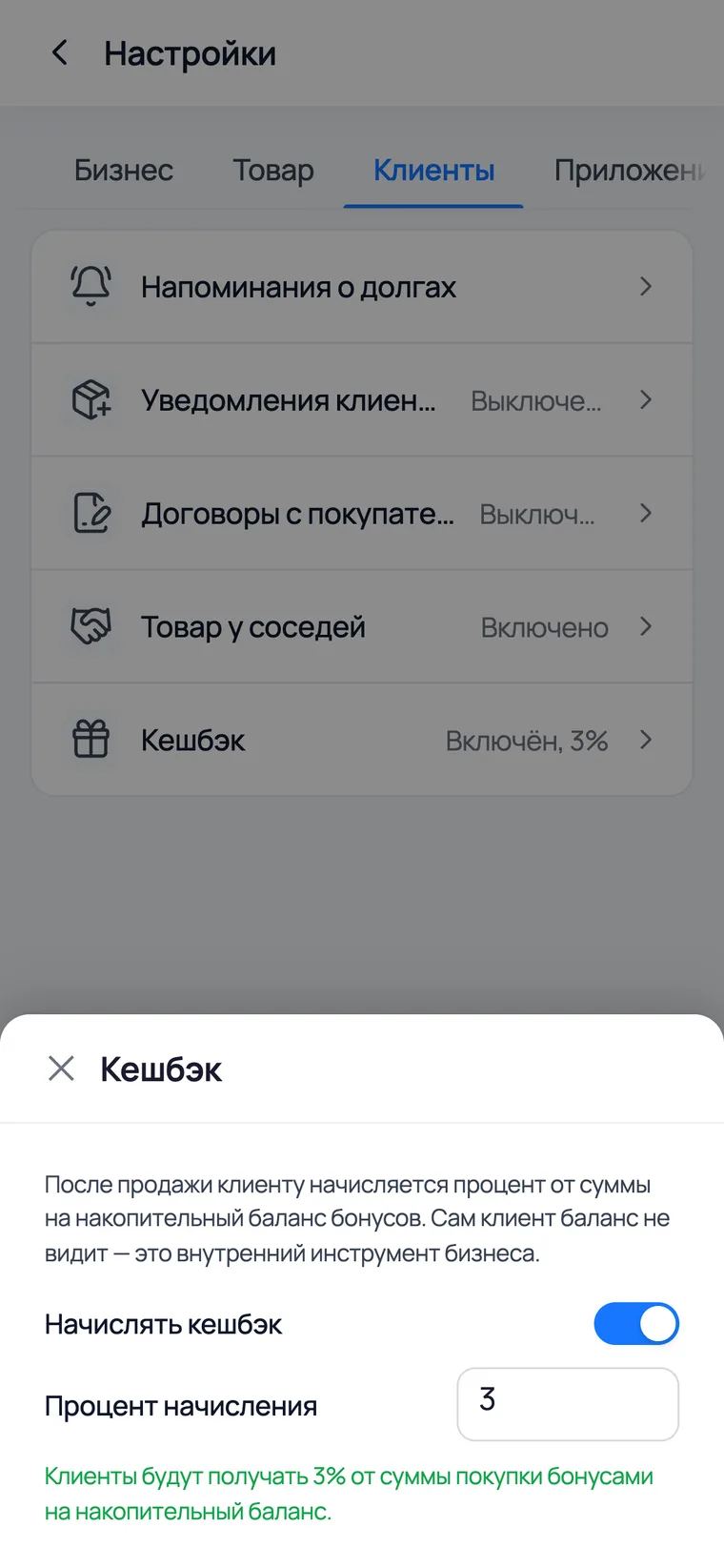
Turning cashback on and choosing the percentage
The whole setup is a switch and one number. The percentage applies to new sales: the app does not recalculate receipts already rung up.
 1
2
1
2
 3
3
- 1Settings → Customers → Cashback. The 'Accrue cashback' switch turns accrual on for all customers at once.
- 2Accrual percentage — how much of the purchase goes onto the bonus balance. Three per cent works well for a grocery: noticeable to the customer and not eating your margin.
- 3It is the same on a phone: More → Settings → Customers, the 'Cashback' row.
- The bonus balance is an internal tool: the customer does not see it in an app. The salesperson tells them what has built up — deliberately so, because here cashback is a reason to come back, not a personal account.
- The percentage is frozen onto the receipt at the moment of sale. Change it tomorrow and old receipts keep theirs — the history is not recalculated.
How it works
Builds up by itself, spent by hand
Accrual: automatic, with no effort from staff
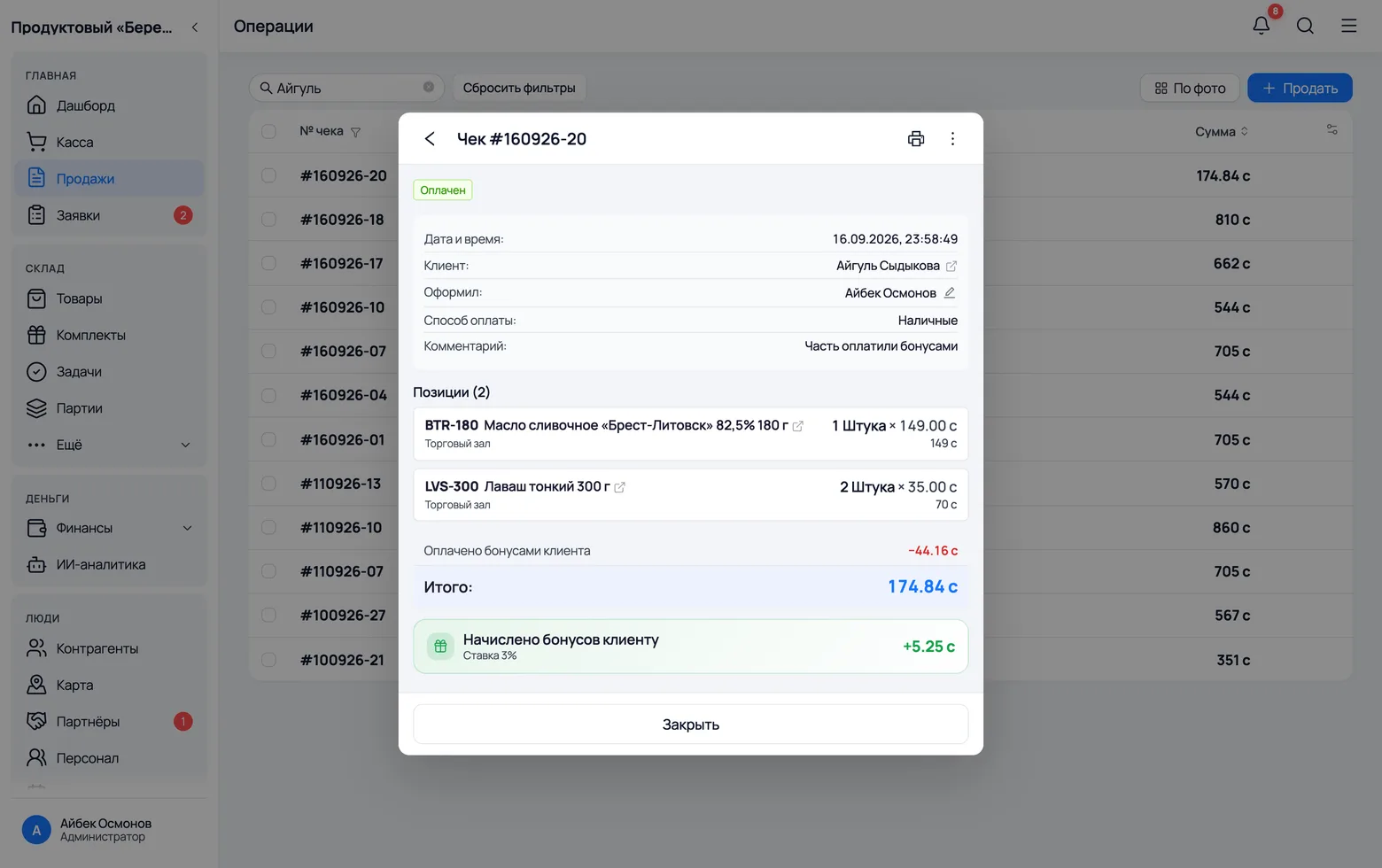
The only condition is that a customer is chosen on the sale. An unnamed retail sale earns nothing — there is no one to accrue to.
 1
2
1
2
- 1Choose the customer on the sale — by name or phone. Nothing else is needed: the percentage is worked out when the receipt is posted.
- 2On the receipt card the line 'Paid with customer bonuses' shows how much went on bonuses. It is the same receipt as always — cashback does not create a separate document.
- A sale on credit accrues bonuses too: you will get the money later, but the purchase has already happened.
- A return claws the accrual back in proportion to the amount returned. A cancelled receipt removes the bonuses entirely.
Redemption: paying part of a purchase with bonuses
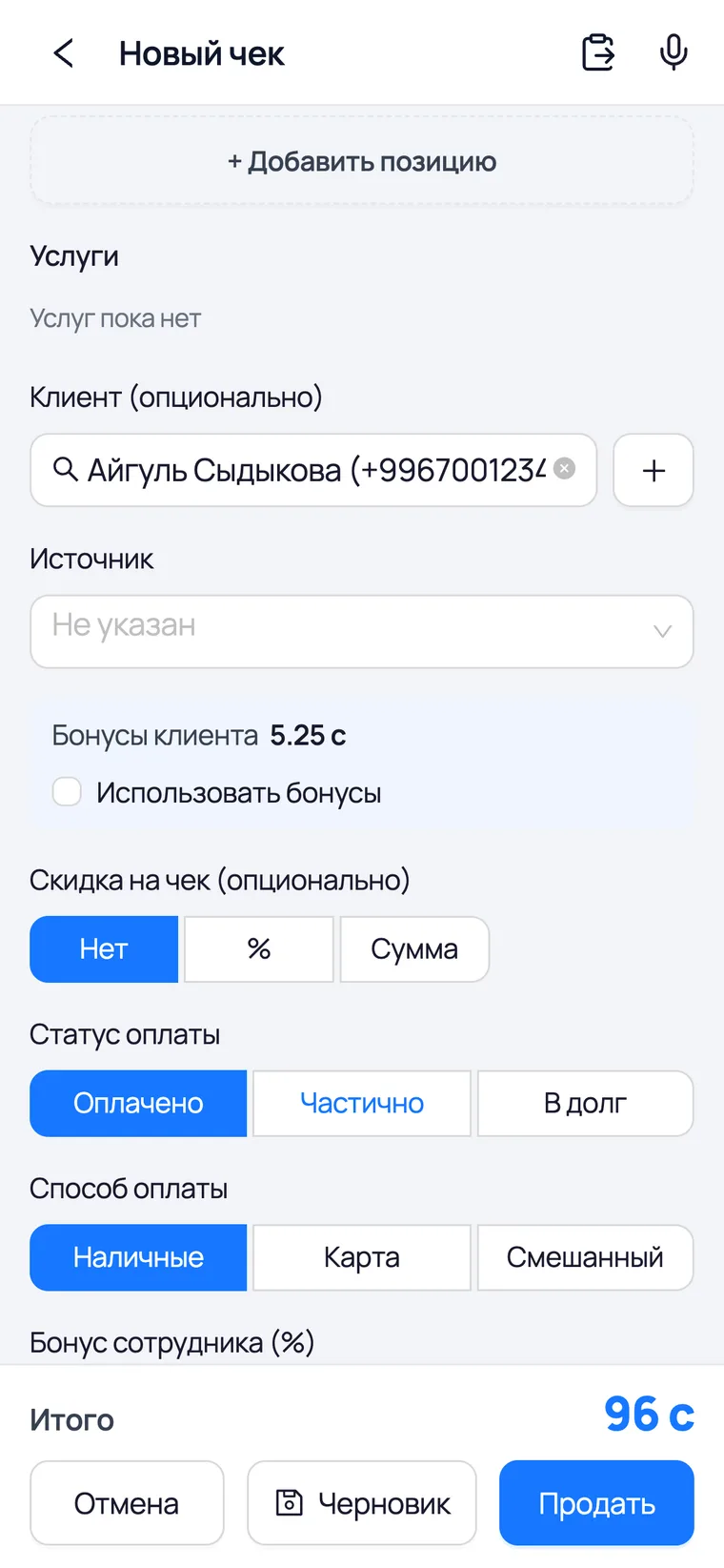
This step is the whole point. The salesperson picks the customer, sees their balance right on the sale form, ticks the box — and the total drops.
 1
2
3
1
2
3
- 1Choose the customer — the bonus block appears only after that. With no customer there is nothing to spend.
- 2Customer bonuses is their balance. The 'Use bonuses' tick spends them against this purchase; you can spend part of the balance rather than all of it.
- 3Sell — the total is reduced by the bonuses spent, and the customer pays the rest as usual: cash, card or on credit.
- You cannot spend more than the purchase is worth: bonuses reduce the bill but never turn into change.
- Bonuses can be spent and earned on the same purchase: the percentage is worked out from what the person actually paid.
- Editing a receipt does not revisit the redemption — it has already happened. If you got it wrong, cancel the receipt and ring it up again.
Where to look
For each customer
The balance on the customer's card
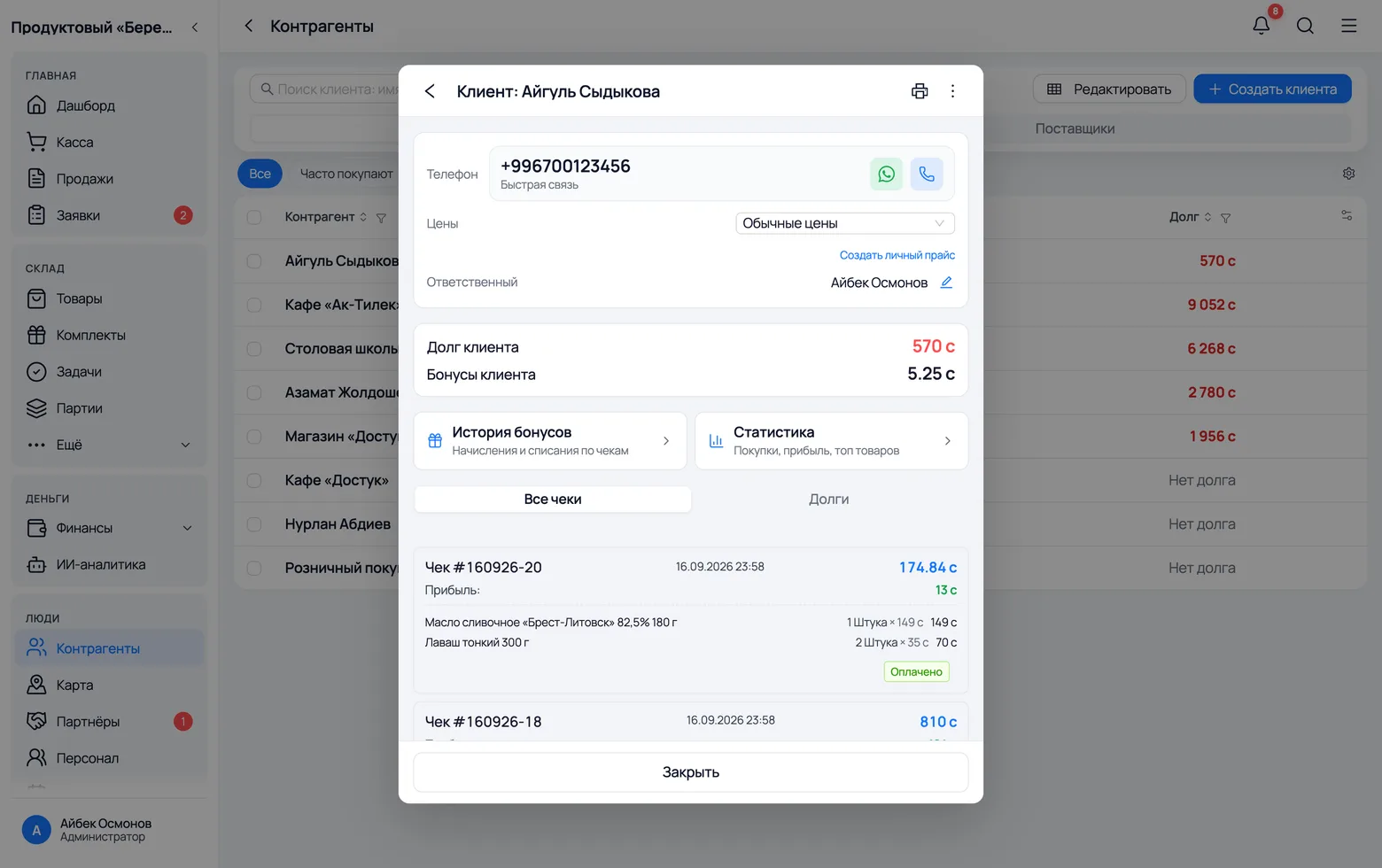
The customer's card answers the question 'how much have they saved up' — the same number the salesperson says out loud at the counter.
 1
2
1
2
- 1Counterparties → Customers — open the one you need. The bonus balance sits next to the debt: the two amounts you owe each other.
- 2Next to it is the customer's debt — what they owe you. It is convenient to see the two together: bonuses reduce the next bill, debt increases it.
- Bonuses do not expire: they have no lifetime. If you need a 'burns out in a month' promotion, that is still done by hand, by writing them off.
Bonus history: where they came from and where they went
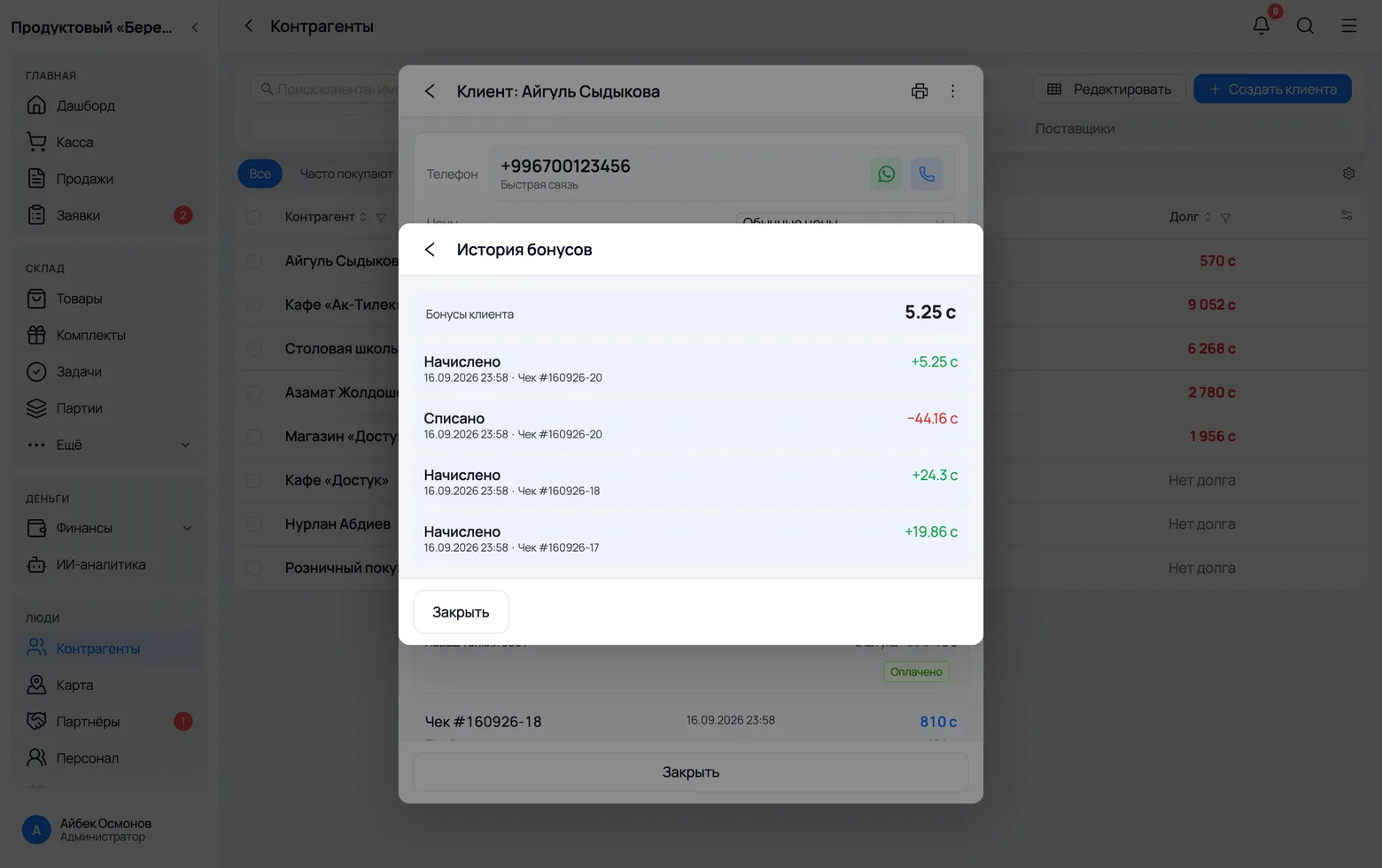
Every movement remembers its receipt. So an argument like 'I had more than that' is settled in ten seconds rather than on trust.
 1
2
3
1
2
3
 4
4
- 1Customer bonuses at the top is the current balance — the very number that can be spent today.
- 2Accrued shows what each receipt gave. The date and number are next to it, so any line can be traced back to the sale itself.
- 3Spent covers purchases where bonuses paid part of the total. Returns appear as separate lines so you can see what was rolled back.
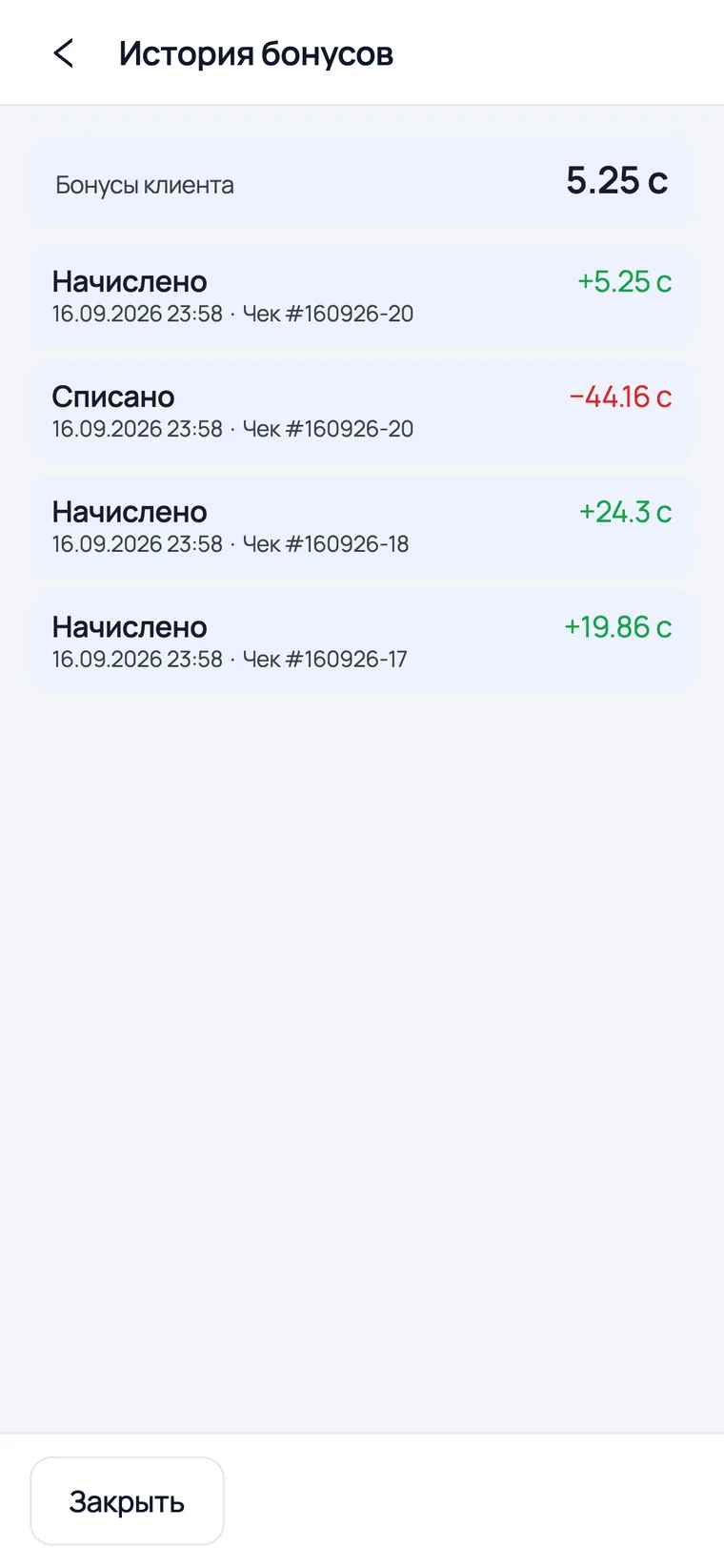
- 4On a phone the history opens with the same button on the customer card and scrolls with a finger.
- The history is a log, not an editable list: lines appear only from sales, returns and cancellations. The balance cannot be adjusted by hand.
- Accumulated bonuses can be exported together with the rest of the customer data — there is a column for it in the counterparties export.